PDF Manager & Editor: Edit PDF

PDF Manager & Editor: Edit PDF Summary
PDF Manager & Editor: Edit PDF is a ad-supported, with in-app purchases Android app in Productivity by Offiwiz. Released in Jul 2018 (7 years ago). It has about 434.2K+ installs and 1.6K ratings with a 3.06★ (mixed) average. Based on AppGoblin estimates, it reaches roughly 17.2K monthly active users and generates around $<10K monthly revenue (23% IAP / 77% ads). Store metadata: updated Aug 27, 2024.
Recent activity: 37 installs this week (259 over 4 weeks) showing steady growth View trends →
Store info: Last updated on Google Play on Aug 27, 2024 .
3.06★
Ratings: 1.6K
Screenshots



App Description
Manage, modify and edit your pdf
PDF Manager & Editor: Split Merge Compress Extract
Manage, modify and edit your pdf
PDF Manager & Editor: Split Merge Compress Extract is an all-in-one PDF manager. You can manage PDF, merge and join PDF, split PDF, extract a page, compress a PDF, make watermark and more. The most complete PDF tool. You can use this PDF tool to modify documents easily.
PDF Manager & Editor: Split Merge Compress Extract has the following characteristics:
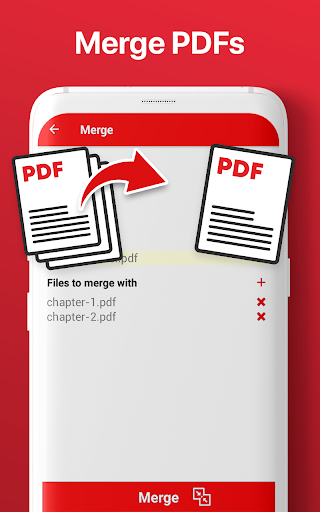
- Merge PDF: merge PDF into one in the order you prefer. Choose and merge several PDFs in one document.
- Split PDF: divide PDF into two or more PDFs; separate the documents by the PDF page you want.
- Extract Page: Extract the page that you prefer of the PDF, very useful when printing a single page of the PDF.
- Compress PDF: reduce the size of your PDFs so that they occupy less memory space in your device.
- Watermark: Put your signature or the text you want as a watermark in your PDF document
- Offiwiz connection: connected with the best applications to convert PDF to another format, edit PDF, manage PDF and translate PDF.
- PDF tool: Modify and change you pdf documents with one single app. Fast a easy PDF utility.
Now you can manage PDF documents thanks to this PDF manager. You can gather your work PDF documents in a single PDF file. And thus unite the PDF cover with the PDF memory. Do you need to print a page of your PDF? Extract a page from your PDF to create a new document. Do you have a PDF book and need to create a PDF with only one chapter? Create a new PDF with the part you want using the separate PDF function.
Great office tool to edit and manage PDF documents. Extract pages, compress PDF, merge PDF and manage PDF is possible using this PDF Manager.
PDF Manager & Editor: Split Merge Compress Extract has the best connections to convert your PDF files to other formats, edit PDF or translate PDF thanks to PDF Converter, Cam Scanner and Camera Translator