Bridge - iPhone Companion App


Bridge - iPhone Companion App Summary
Bridge - iPhone Companion App is a mobile Android app in Productivity by Orienlabs LLC. Released in Jun 2025 (9 months ago). It has about 25.8K+ installs and 83 ratings with a 4.44★ (good) average. Based on AppGoblin estimates, it reaches roughly 2.7K monthly active users . Store metadata: updated Feb 3, 2026.
Recent activity: 556 installs this week (3.1K over 4 weeks) showing below average growth View trends →
Store info: Last updated on Google Play on Feb 3, 2026 .
4.44★
Ratings: 83
Screenshots


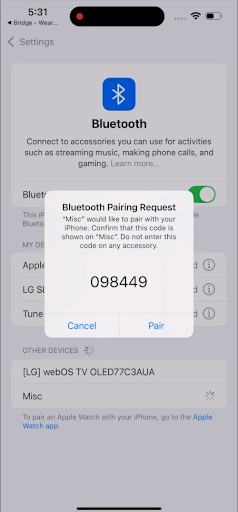
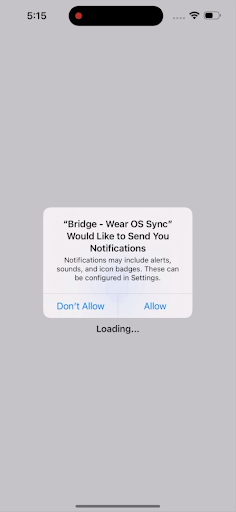
App Description
Sync iPhone to Wear OS: notifications, files, health & apps
Bridge seamlessly connects your Android watch with your iPhone, enabling you to receive notifications, manage files, and sync data directly on your watch. Experience the full potential of your Wear OS device while using an iPhone.
[OnePlus watches are not currently supported]
🔔 Real-Time Notifications
• Receive all iPhone notifications instantly on your watch
• View full notification content including images and emojis
• Get time-sensitive alerts for calls and messages
• Maintain continuous connection in the background
• Interact with notifications directly from your watch
📁 File Management & App Installation
• Browse and manage files on your watch via web browser
• Transfer files between iPhone and watch seamlessly
• Install APK files directly on your watch
• Organize files with folder creation and management
• View images and videos stored on your watch
• Download files from watch to iPhone
• Upload files from iPhone to watch
• Zip folders for easier transfer
💚 Health Data Sync
• Sync steps, heart rate, and sleep data to Apple Health
• Automatic background health data collection
• Advanced ML model for sleep stage identification
• Accelerometer data collection during sleep
• Comprehensive health metrics tracking
📞 Contact Sync
• Sync contacts from iPhone to watch
• Keep your watch contacts up to date
• Manage contact information seamlessly
🔒 Privacy Focused
• All data is processed locally on your devices
• No external servers or cloud storage
• End-to-end encryption for secure data transfer
• Complete control over which data you sync
• Your privacy is our priority
⚡ Efficient & Reliable
• Optimized for battery life
• Stable Bluetooth connection
• Automatic reconnection
• Background service for uninterrupted operation
• Fast data transfer for health information
💫 Key Features:
• Smart notification handling with rich content
• Complete file management system
• APK installation and app management
• Health data synchronization
• Contact synchronization
• Continuous background sync
• Battery-efficient operation
• Secure, private connection
• Easy setup process
• Web-based file browser interface
🎯 Supported Devices:
Works with all Wear OS watches, including:
• Google Pixel Watch series
• Samsung Galaxy Watch series
• Fossil Gen 6
• TicWatch series
• Montblanc Summit series
• And many more!
📱 Requirements:
• Wear OS watch running Wear OS 4.0 or later
• iPhone running iOS 17.0 or later
• Bluetooth 4.0 or later
• Both devices must be on the same WiFi network for file management
📋 Permissions Explained:
This app requires certain permissions to function properly:
• Bluetooth permissions: Required for device connection and data transfer
• Foreground service permission: Required to maintain Bluetooth connection for real-time data transfer between paired devices and collection of health data
• Notification access: Required for syncing notifications from iPhone
• File installation permission: Required for managing and installing APK files on your watch (core file management feature)
• Media permissions: Required for accessing and managing photos and videos on your watch
• Storage permissions: Required for file management operations
All permissions are used only for the core functionality described above. We do not collect, share, or sell your personal data.
🔧 How File Management Works:
1. Open Bridge on your iPhone
2. Tap "File Browser" in device details
3. A web interface opens in Safari
4. Browse, upload, download, and manage files
5. Install APK files by tapping on them
Support:
Have questions? Contact us at bridge@olabs.app or visit our website at https://olabs.app
Follow us on Reddit: https://www.reddit.com/r/orienlabs