PDF Editor - Viewer, Edit PDF

PDF Editor - Viewer, Edit PDF Summary
PDF Editor - Viewer, Edit PDF is a ad-supported, with in-app purchases Android app in the Productivity category, developed by GTTM Team. First released 2 years ago(Mar 2023), the app has accumulated 2.2M+ total installs and 22.3K ratings with a 4.09★ (good) average rating.
Recent activity: 788 installs this week (8.8K over 4 weeks) showing declining growth , and 29 new ratings this week (110 over 4 weeks) with declining momentum. View trends →
Data tracking: SDKs and third-party integrations were last analyzed on Oct 18, 2025. The app's network data flows (API traffic to/from the app and its SDKs) were last crawled on Oct 18, 2025.
Store info: Last updated on Google Play on Oct 21, 2025 (version 85).
PDF Editor - Viewer, Edit PDF was last scanned for SDKs 2025-10-18. Below is the overview of third party companies detected in the app. The full list of raw SDKs, app permissions and unknown SDKs is available here.
 Kotlin
 Square
 JetBrains
 BouncyCastle
 Keepsafe
 AppLovin
 Google
 Facebook
 Firebase
4.09★
Ratings: 22.3K
Screenshots


App Description
Powerful PDF Manager - edit PDF text. Fill & sign PDF, handy PDF Viewer, protect
Are you looking for an all-in-one PDF solution to edit, sign, read, convert, share and protect PDF files on the go? PDF Editor - Viewer, Edit PDF is exactly what you need! It can auto scan, find, and list all PDF files on your phone, allows you to fast open, read and manage your files in one place conveniently.
❓Why should you choose our all document opener app❓
⭐ Powerful PDF Manager: bookmarks file, PDF notes, edit PDF texxt, edit photos, PDF signature, certificates...
⭐ No internet required, documents viewer offline.
⭐ Search and sort the file list, manage documents.
⭐ Move your favorite documents to “Bookmark” so you can read them again later.
⭐ A simple, easy-to-understand interface helps users quickly grasp and use the PDF Reader
⭐ Handy PDF Viewer, practical PDF Editor.
Main features of PDF Editor - Viewer, Edit PDF:
✔️ PDF reader & viewer📕
- PDF viewer, PDF opener from the file manager or directly from other apps.
- Search, scroll and zoom in and out PDF files.
- Easily share PDF files through another app.
- All recently opened files are displayed in order for your quick reference.
- Set password to lock PDF files and protect them from prying eyes.
- Support Light Mode/ Dark mode
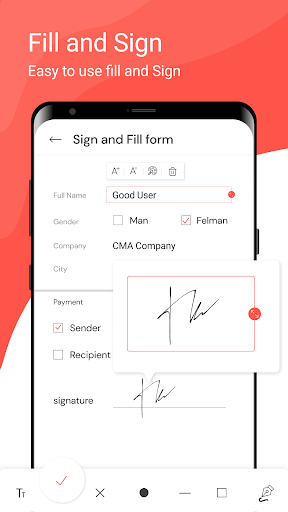
✔️ E- signature & Form filler
- Draw, or import your signature. E- sign documents using your finger or stylus.
- Easily fill in PDF forms by editing the text directly on the document. Tap to enter text or checkmarks in form fields. Fill forms even faster with custom autofill entries.
- Opening an interactive form, you can identify and fill out multiple form field components: Name, address, city, phone number, company.
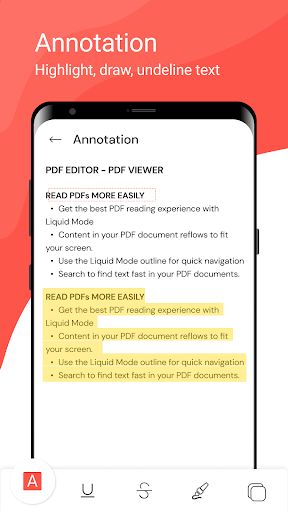
- Draw on PDFs
✔️ PDF editor, file editor
- Edit PDF text and images directly (BETA)
- Delete, change or rotate images (BETA)
- Fill PDF, save and submit PDF forms
- Delete/Rename/Favorite - You can rename files, delete files, and add files to Favorite.
✔️ Organize pages in PDFs
- Create blank PDFs
- Merge and split PDFs, delete pages, change the page order, and insert blank pages
- Compress PDF: Reduce the file size of your document while keeping visual quality.
- Merge PDF: Combine multiple documents into a single PDF file.
- Split PDF: Split PDF pages or extract pages to multiple PDF documents with high quality.
✔️ PDF C