Combine PDF Create & Edit


Combine PDF Create & Edit Summary
Combine PDF Create & Edit is a ad-supported Android app in Tools by DL Infosoft. Released in Nov 2020 (5 years ago). It has about 41.6K+ installs and 315 ratings with a 4.00★ (good) average. Based on AppGoblin estimates, it reaches roughly 1.6K monthly active users and generates around $<10K monthly revenue (0% IAP / 100% ads). Store metadata: updated Nov 7, 2025.
Recent activity: 7.00 installs this week (18 over 4 weeks) showing above average growth View trends →
Store info: Last updated on Google Play on Nov 7, 2025 .
4★
Ratings: 315
Screenshots


App Description
Combine, scan, convert and compress PDFs — all-in-one PDF tool for Android
All-in-One PDF App — Merge, Scan, Convert and Compress
This app is a complete PDF toolkit designed to handle all your document needs. You can merge PDF files, scan documents using your camera, convert text or web pages to PDF, and compress large files — all in one convenient Android app.
Features:
Scan documents to PDF
Use your phone camera to scan notes, bills or receipts. The app automatically detects page edges, enhances clarity and saves the output as a PDF.
Merge PDF files
Combine multiple PDF documents into a single file. Rearrange pages as needed — ideal for reports, forms or study material.
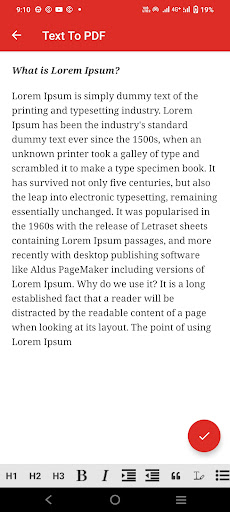
Convert text to PDF
Create formatted PDFs from plain text. You can adjust fonts, alignment, margins and even add headers or footers.
Convert web pages to PDF
Turn any website into a clean, printable PDF by entering its URL. Great for saving articles or web content offline.
Compress PDF files
Reduce the size of large PDF documents to save storage or for easy sharing. Choose from multiple compression levels based on your needs.
Built-in PDF viewer
Quickly open and scroll through PDF files. Rename, delete or manage files directly within the app.
Who Can Use This App?
Students organizing notes and assignments
Professionals who scan, merge, or archive documents
Anyone looking for a lightweight, offline PDF solution
Why Use This App?
Clean and simple interface
Fast and reliable performance on all Android devices
Works entirely offline — no internet required
Download today and simplify your document workflow with a complete PDF solution.