PDF Compress & Viewer

PDF Compress & Viewer Summary
PDF Compress & Viewer is a ad-supported Android app in Tools by DL Infosoft. Released in Nov 2020 (5 years ago). Store metadata: updated Sep 2, 2021.
Store info: Last updated on Google Play on Sep 2, 2021 .
0★
Ratings:
Screenshots


App Description
PDF Compressor will helps to you to reduce the PDF size easily within seconds.
Steps to use PDF Compress & Viewer:
- Select PDF files option.
- Select one or more PDF files.
- Click on the tick mark option on the top right corner.
- Remove any PDF file if required.
- Select how much percent of PDF size you want to reduce. The higher the percentage will more file size reduce.
- Click on the Compress button for compress file.
- In Compressed PDF option you get all your compressed files.
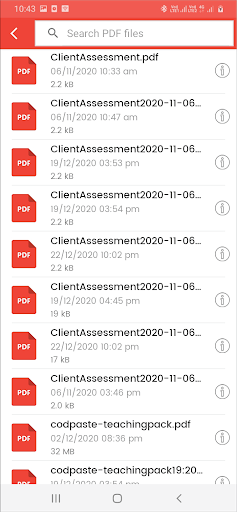
- In PDF files listing click on three dots for show PDF details.
- Click on Open button for PDF Viewer.
Features:
- Compress PDF file size within seconds.
- You can compress one or more PDF files at time.
- PDF Compress & Viewer allow to select percentage 10-100% to compress file.
- Easily Open PDF file in PDF Viewer
- You can rename PDF file name.
- You can easily to share compressed PDF files to your friends or any social network.
So, reduce your PDF file to a smaller size with the PDF Compress & Viewer app.