FamilyKeeper Parental Control


FamilyKeeper Parental Control Summary
FamilyKeeper Parental Control is a with in-app purchases Android app in Family by Reason Labs. Released in Nov 2022 (3 years ago). It has about 101.8K+ installs and 254 ratings with a 3.13★ (mixed) average. Based on AppGoblin estimates, it reaches roughly 4.2K monthly active users and generates around $<10K monthly revenue (100% IAP / 0% ads). Store metadata: updated Mar 13, 2025, version 85.
Recent activity: 27 installs this week (89 over 4 weeks) showing steady growth View trends →
Data tracking: SDKs and third-party integrations were last analyzed on Feb 7, 2026. The app's network data flows (API traffic to/from the app and its SDKs) were last crawled on Oct 30, 2025.
Store info: Last updated on Google Play on Mar 13, 2025 (version 85).
FamilyKeeper Parental Control was last scanned for SDKs 2026-02-07. Below is the overview of third party companies detected in the app. The full list of raw SDKs, app permissions and unknown SDKs is available here.
 Kotlin
 Bumptech
 Google
 ReactiveX
 Iterable
 Smartlook
 Mixpanel
 Firebase
 AppsFlyer
 Facebook
3.13★
Ratings: 254
Screenshots
App Description
Parental Control - manage screen time, location tracker, app monitor & blocker
FamilyKeeper is the #1 parental control app that helps parents keep their kids safe!
FamilyKeeper parental control app is powered by state-of-the-art AI technology. FamilyKeeper is designed to help parents keep their kids safe online by combatting digital threats such as the viewing of offensive content, cyberbullying, screen time overload, and more. A one-stop shop for child safety on all fronts, It also includes a GPS tracker to keep you informed of your child’s location.
FamilyKeeper assists you in monitoring online activity and behavior, social media interactions, and texts with real-time notifications if something is amiss. Protecting kids from cyberbullying is one of our main goals - so while your kids are socializing online, exploring new territory, and learning to exert their independence, you can do your part by protecting them from any online threat or damage.
Key Features of FamilyKeeper:
Parental Control for Security
👍Allows you to customize which online content your child has access to
👍Filters inappropriate apps, sites, and browser usage
👍Blocks harmful sites and malicious content
👍Monitors new photos and saved images on your child’s phone
👍Battery tracker - notifies you when your child’s battery is running low
Cyberbullying Prevention
👍Uses AI to detect worrying behavioral patterns and recognize potential cyber threats
👍 Alerts you to offensive language by identifying incendiary keywords across most social media platforms
Screen Time Schedule
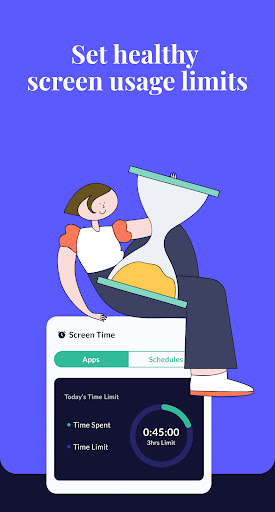
👍Combat screen addiction by limiting the amount of time spent online
👍Track screen time history
👍Customize your family’s screen time schedule by allocating fixed times when your child can use their device
GPS Alerts
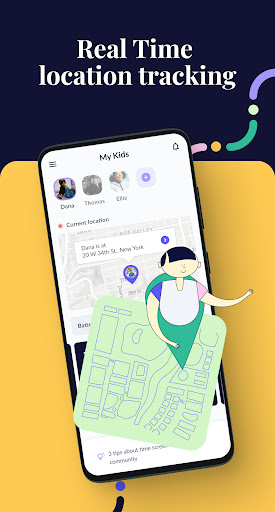
👍Location tracking for peace of mind
👍Receive notifications when your child enters or leaves a specific area
👍View location history
Real-Time Alerts for Age-Inappropriate Activities
👍Available on most social media platforms
👍Helps protect from online predators
👍Alerts you if unknown numbers or profiles attempt to contact your child
FamilyKeeper is free to download and install, so there’s no better time to start using it!
How do I install the Family keeper app?
➡️Download and register the FamilyKeeper app on your device
➡️Download and register the FamilyKeeper Kids app on your kid's device
➡️Quickly and conveniently pair the Parent & kid apps using your unique pin code
Parenting is a daunting task - we’re here to help make it easier!
If you have any questions about working and installing the Family keeper app, you can find help and online support at www.familykeeper.co or email support@familykeeper.co