Autumn: Animals & Nature

Autumn: Animals & Nature Summary
Autumn: Animals & Nature is a ad-supported Android app in Personalization by RECREATIVE Watch Faces. Released in Jul 2023 (2 years ago). It has about 1.5K+ installs and 20 ratings with a 3.44★ (mixed) average. Based on AppGoblin estimates, it reaches roughly 18 monthly active users and generates around $<10K monthly revenue (0% IAP / 100% ads). Store metadata: updated Aug 26, 2025.
Recent activity: 2.00 installs this week (7.00 over 4 weeks) showing declining growth View trends →
Store info: Last updated on Google Play on Aug 26, 2025 .
3.44★
Ratings: 20
Screenshots


App Description
Wear Os Watch Face - Customizable - 10 Animals - Colorful & Floral
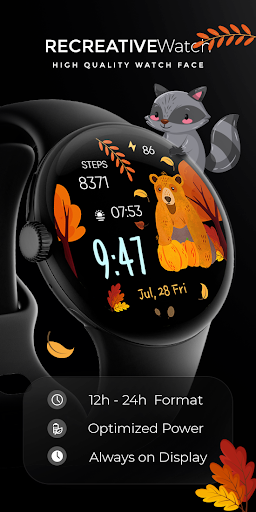
Introducing the Wear OS Watch Face - a delightful experience for animal lovers everywhere. This customizable watch face allows you to showcase your favorite animals right on your wrist. With a wide selection of adorable animals including the Fox, Deer, Raccoon, Hedgehog, Beaver, Bear, Bunny, Squirrel, and Owl, you can personalize your watch face to reflect your unique style.
Powered by Watch Face Format
⚙️ Phone App Features
The phone app is simply a tool to facilitate installation and locating the watch face on your Wear OS watch. Only the mobile app contains ads.
⚙️ Watch Face Features
• 12/24h Digital Time
• Date
• Battery
• Steps Count
• 1 customizable Shortcut
• 2 customizable Complications
• 10 Animals: Fox - Deer - Raccoon - Hedgehog - Beaver - Bear - Bunny - Squirrel - Owl
• Color Variations
• Always ON Display supported with changeable colors and changeable modes
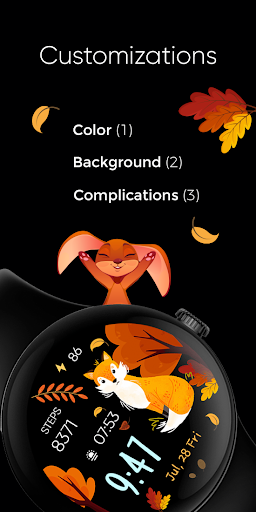
🎨 Customization
1 - Touch and hold display
2 - Tap on Customize option
🎨 Complications
Touch and hold display to open customization mode. You can customize the field with any data you want.
🔋 Battery
For better battery performance of the watch, we recommend disabling the "Always On Display" mode.
✅ Compatible devices include API level 33+ Google Pixel, Galaxy Watch 4, 5, 6, and other Wear OS models.
Installation and troubleshooting
Follow this link: https://www.recreative-watch.com/help/#installation-methodes
Watch faces don't automatically apply on your watch screen after the installation. That's why you must set it on your watch's screen.
💌 Write to support@recreative-watch.com for assistance.