Camo Camera

Camo Camera Summary
Camo Camera is a mobile Android app in Tools by Reincubate. Released in Sep 2023 (2 years ago). It has about 3M+ installs and 3.3K ratings with a 3.53★ (average) average. Based on AppGoblin estimates, it reaches roughly 166.9K monthly active users . Store metadata: updated Feb 3, 2026.
Recent activity: 14.2K installs this week (77.8K over 4 weeks) showing steady growth , and 8.00 new ratings this week View trends →
Data tracking: SDKs and third-party integrations were last analyzed on Apr 17, 2025.
Store info: Last updated on Google Play on Feb 3, 2026 .
Camo Camera was last scanned for SDKs 2025-04-17. Below is the overview of third party companies detected in the app. The full list of raw SDKs, app permissions and unknown SDKs is available here.
 Snap
Snap Bumptech
 Google
 Kotlin
 Firebase
3.53★
Ratings: 3.3K
Screenshots


App Description
Webcam for PC and Mac
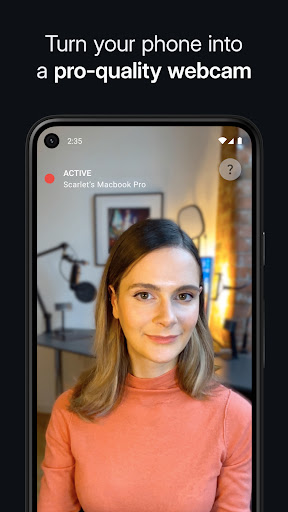
Use the amazing camera in your phone as a pro-quality webcam, and stand out on your next video call, live stream, or online event with Camo.
Your phone’s camera is leagues ahead of any webcam. Short of connecting a $1,500 DSLR camera to your computer, nothing will come close. With Camo there’s no need for any extra hardware or drivers.
Joanna Stern of the Wall St. Journal – “how I do all my live TV hits”
MacWorld US – “full-featured, easy-to-use, and delightful”
9to5Mac – “an easy way to seriously improve your video call quality”
WIRED – “there are a number of apps which let you use your iOS device’s camera as your webcam, but the best one is Camo”
MacWorld UK – “an easy way to beef up the video quality on your calls”
With over 10 million users helped over the last decade, Reincubate is one of the UK’s most-loved software companies. Find out why.
— POWERFUL ADJUSTMENTS AND FILTERS —
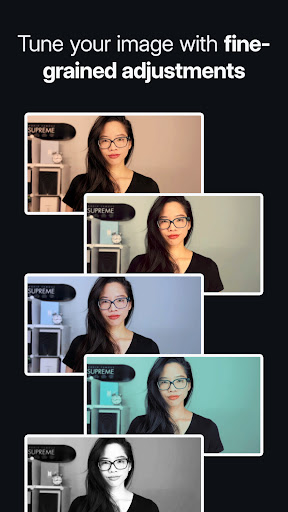
Use any lens on your device: ultra-wide, wide-angle, telephoto or selfie. Zoom, pan, rotate, recolour and adjust light settings. Fine-tune focus and exposure, and use your phone’s flash as a torch for better lighting.
— PORTRAIT AND PRIVACY —
Portrait mode applies a bokeh effect that cleanly separates you from the background and gives you full control over apparent depth of focus. Whereas, Privacy cloaks your surroundings with a pleasing diffused image effect.
— EASY TO USE / PLUG AND PLAY/ WI-FI —
No extra hardware needed, just connect your device to your Mac or PC. Choose between connecting wirelessly, for the most flexible Camo experience yet, or stick to the tried and trusted USB.
With Wi-Fi connectivity, get set up for a call in seconds – no more feeling around for a spare cable or a free port.
— CONTROL FROM YOUR COMPUTER —
Camo’s unique Camo Studio app runs on your computer, giving you full control over your video without the need to fiddle with your phone. Camo ensures you’ve always got a preview of your video, even when your video meeting software doesn’t.
— COMPATIBLE WITH HUNDREDS OF APPS —
Camo works perfectly with Zoom, Google Meet, Microsoft Teams, Chrome, OBS Studio, Streamlabs, Skype, Twitch, Panopto, ScreenFlow, Final Cut Pro X, and dozens of other video recording and streaming products.
— SECURITY AND PRIVACY FIRST —
Camo doesn’t know what y