RICOH Smart Device Connector

RICOH Smart Device Connector Summary
RICOH Smart Device Connector is a Android app in the Productivity category, developed by Ricoh Co., Ltd.. First released 11 years ago(Sep 2014), the app has accumulated 2.8M+ total installs and 5.2K ratings with a 3.29★ (mixed) average rating.
Recent activity: 5.8K installs this week (24.2K over 4 weeks) showing steady growth , and 9 new ratings this week (32 over 4 weeks) with stable momentum. View trends →
Data tracking: SDKs and third-party integrations were last analyzed on Mar 2, 2025.
Store info: Last updated on Google Play on Dec 26, 2025 .
RICOH Smart Device Connector was last scanned for SDKs 2025-03-02. Below is the overview of third party companies detected in the app. The full list of raw SDKs, app permissions and unknown SDKs is available here.
 Kotlin
 Square
 Google
 Microsoft
 Flurry
 Firebase
3.29★
Ratings: 5.2K
Screenshots


App Description
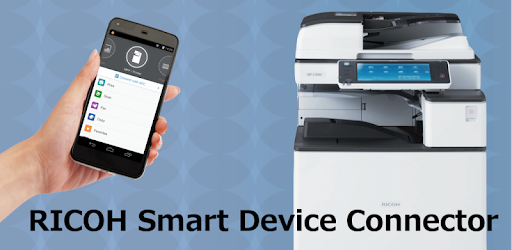
Control Ricoh MFP and projector functions from an Android–based smart device.
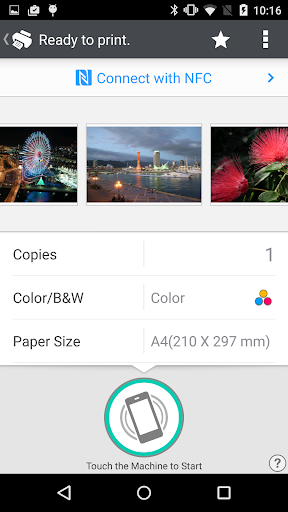
RICOH Smart Device Connector lets you quickly access a RICOH multifunction printer (MFP) or projector by registering it with a smart device via NFC, Bluetooth Low Energy, a QR code, or the IP address or hostname of an MFP.
Print-related features:
- Print or project documents and images stored on a smart device or on Box, Dropbox, Google Drive, Microsoft OneDrive.
- Print emails, file attachments, and webpages.
- Print from print server.
Scan-related features:
- Scan to a smart device or to Box, Dropbox, Google Drive, or Microsoft OneDrive.
Projection-related features:
- Project documents and images on a smart device or in Box, Dropbox, Google Drive, or Microsoft OneDrive to a RICOH projector and the RICOH Interactive Whiteboard.*
- Project emails, file attachments, and webpages.
- Save documents that have been annotated on the RICOH Interactive Whiteboard.
Other features:
- Conduct user authentication by using a smart device.
- Automatically search for available machines on the same network.**
Supported languages:
Arabic, Brazilian Portuguese, Catalan, Chinese (Traditional and Simplified), Czech, Denmark, Dutch, English, Finnish, French, German, Greek, Hebrew, Hungarian, Italian, Japanese, Korean, Norwegian, Polish, Portuguese, Russian, Spanish, Swedish, Thai, Turkish, Vietnamese
Supported models:
https://www.ricoh.com/software/connector/
*RICOH Interactive White Board D6500/D5510 requires firmware v1.7 or later.
**Except for the RICOH Interactive Whiteboard.