UI 10 - Icon Pack


UI 10 - Icon Pack Summary
UI 10 - Icon Pack is a with in-app purchases Android app in Personalization by Rohit_Singh. Released in Oct 2018 (7 years ago). It has about 210.8K+ installs and 633 ratings with a 4.33★ (good) average. Based on AppGoblin estimates, it reaches roughly 2K monthly active users and generates around $<10K monthly revenue (100% IAP / 0% ads). Store metadata: updated Apr 5, 2025.
Recent activity: 140 installs this week (729 over 4 weeks) showing below average growth View trends →
Store info: Last updated on Google Play on Apr 5, 2025 .
4.33★
Ratings: 633
Screenshots


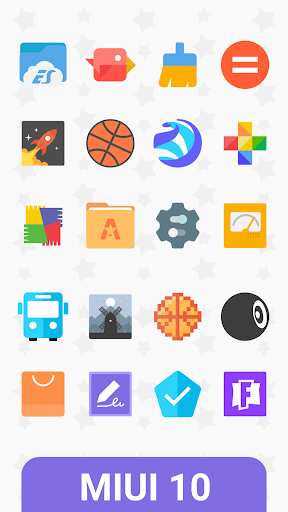
App Description
Mixed Shapes Icons Pack.
* 2000+ Icons.
* Clear and crisp designed.
* Completely designed in vector.
* Premium icon requests.
* Wallpapers.
Go Launcher users! Icon masking isn't supported by Go, so unthemed icons have a circle covering them. You can easily fix this by going into Preferences > Visual settings > under Icons, uncheck 'Show icon base'
To request icons for the apps which do not have custom icons you can use the Icon request tool from within the app or send an email at themestudio.in@gmail.com
This is not an application or a launcher - This is an icon pack with compatible with most launchers available on Google play store.
You will need to install one of these launchers to use this icon pack
Nova Launcher
Adw Launcher
Apex Launcher
Holo Launcher
Go Launcher EX
etc
****************
To manually apply the theme, go to Your Launcher settings and:
Nova Launcher:
Nova Settings > Look and feel > Icon Theme > Ortus Icon Pack
Apex Launcher:
Apex settings > Theme settings > OrtusIcon Pack > Apply
ADW Launcher:
ADW Settings > Themes > OrtusIcon Pack > Apply
Holo Launcher:
Appearance Settings >Icon pack > Ortus Icon Pack
Atom Launcher:
Launcher settings > Theme > Ortus Icon Pack > Use Theme