Audio Earbud Test & Equalizer

Audio Earbud Test & Equalizer Summary
Audio Earbud Test & Equalizer is a ad-supported, with in-app purchases Android app in Tools by RP Developers. Released in Dec 2022 (3 years ago). It has about 313.5K+ installs and 783 ratings with a 3.56★ (average) average. Based on AppGoblin estimates, it reaches roughly 12.8K monthly active users and generates around $<10K monthly revenue (24% IAP / 76% ads). Store metadata: updated Oct 31, 2024.
Recent activity: 52 installs this week (385 over 4 weeks) showing steady growth View trends →
Store info: Last updated on Google Play on Oct 31, 2024 .
3.56★
Ratings: 783
Screenshots

App Description
Adjust sound using Equalizer & test the sound of your earbuds or headphones.
Test your earbuds or headphone sound quality and it's working condition.
* Audio Earbud Test:
- Sound test for earbuds and headphones.
- Different set of tests available to check your earbuds and headphones working properly or not.
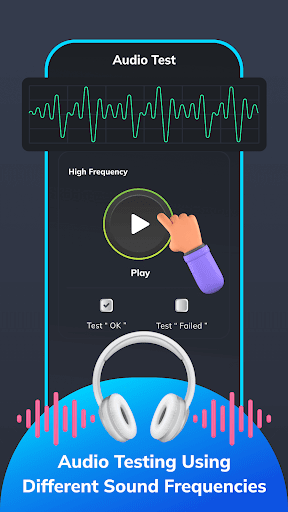
- Check the quality of earbuds and headphones while listening to different frequency sounds and check if it is working properly.
- Various Different Frequency tests:
- High-Frequency Test
- Low-Frequency Test
- Stereo Frequency Test
- Golden Frequency Test
- Binaural Frequency Test
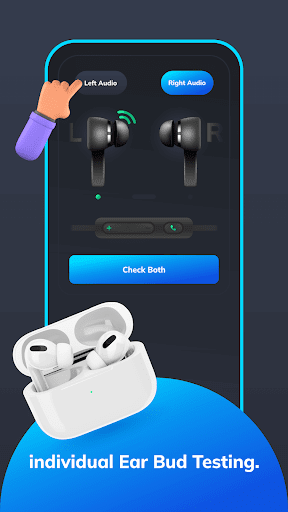
* Left/Right Earbuds Test:
- Left/Right speaker test you can test whether both earbuds working individually.
- Check if wired headphones are connected or not, this can check the headphone jack quality and you can know if the headphone jack is properly working.
- Detect the microphone of the headphone is properly working or not.
- Also check whether the volume buttons and call pick-up buttons are working or not.
* Audio Equalizer:
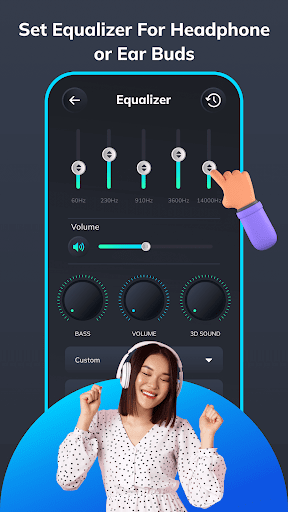
- Five bands Equalizer or Virtualize
- Bass Boost effect
- Volume Boost effect
- 3D sound effect
- Use this equalizer to improve the sound quality.
- Control the Equalizer, Bass Booster, Sound Booster and Virtualizer of music.
- Adjust sound effect levels to listen to sound in its best quality.
How to use the Equalizer feature:
- Turn on any music on your phone.
- Open this app's equalizer.
- Change the setting according to your preferences
- Listen to the changed effects of your music.