Horizon Forest Watch Face

ASO Keyword Dashboard
Tracking 182 keywords for Horizon Forest Watch Face in Google Play
Horizon Forest Watch Face tracks 182 keywords (no keywords rank yet; 182 need traction). Key metrics: opportunity 70.9, difficulty 46.7.
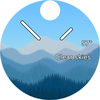
Forest inspired live wallpaper watch face for Wear OS smartwatches.
Tracked keywords
182
0 ranked • 182 not ranking yet
Top 10 coverage
—
Best rank — • Latest leader —
Avg opportunity
70.9
Top keyword: animation
Avg difficulty
46.7
Lower scores indicate easier wins
Opportunity leaders
- 63.7
animation
Opportunity: 75.0 • Difficulty: 44.8 • Rank —
Competitors: 817
- 63.7
faces
Opportunity: 75.0 • Difficulty: 40.8 • Rank —
Competitors: 351
- 60.8
moon
Opportunity: 74.0 • Difficulty: 39.4 • Rank —
Competitors: 283
- 62.4
tons
Opportunity: 74.0 • Difficulty: 58.0 • Rank —
Competitors: 1,465
- 63.6
rise
Opportunity: 74.0 • Difficulty: 59.4 • Rank —
Competitors: 911
Unranked opportunities
animation
Opportunity: 75.0 • Difficulty: 44.8 • Competitors: 817
faces
Opportunity: 75.0 • Difficulty: 40.8 • Competitors: 351
moon
Opportunity: 74.0 • Difficulty: 39.4 • Competitors: 283
tons
Opportunity: 74.0 • Difficulty: 58.0 • Competitors: 1,465
rise
Opportunity: 74.0 • Difficulty: 59.4 • Competitors: 911
High competition keywords
time
Total apps: 383,838 • Major competitors: 16,146
Latest rank: — • Difficulty: 58.5
new
Total apps: 368,391 • Major competitors: 21,386
Latest rank: — • Difficulty: 59.8
easy
Total apps: 327,293 • Major competitors: 14,490
Latest rank: — • Difficulty: 57.3
make
Total apps: 326,938 • Major competitors: 18,173
Latest rank: — • Difficulty: 58.8
experience
Total apps: 291,079 • Major competitors: 15,370
Latest rank: — • Difficulty: 58.0
All tracked keywords
Includes opportunity, difficulty, rankings and competitor benchmarks
| Major Competitors | |||||||
|---|---|---|---|---|---|---|---|
| new | 65 | 100 | 60 | 89 368,391 competing apps Median installs: 2,544 Avg rating: 2.1 | — | — | 21,386 major competitor apps |
| weather | 72 | 100 | 57 | 70 23,661 competing apps Median installs: 2,505 Avg rating: 2.2 | — | — | 1,434 major competitor apps |
| travel | 70 | 100 | 50 | 74 46,441 competing apps Median installs: 1,774 Avg rating: 2.0 | — | — | 2,494 major competitor apps |
| wallpaper | 71 | 100 | 46 | 72 34,315 competing apps Median installs: 5,072 Avg rating: 2.2 | — | — | 1,193 major competitor apps |
| easy | 65 | 100 | 57 | 88 327,293 competing apps Median installs: 1,980 Avg rating: 2.0 | — | — | 14,490 major competitor apps |
| make | 65 | 100 | 59 | 88 326,938 competing apps Median installs: 2,042 Avg rating: 2.1 | — | — | 18,173 major competitor apps |
| users | 67 | 100 | 54 | 82 135,902 competing apps Median installs: 1,202 Avg rating: 1.9 | — | — | 4,810 major competitor apps |
| experience | 65 | 100 | 58 | 87 291,079 competing apps Median installs: 1,458 Avg rating: 2.0 | — | — | 15,370 major competitor apps |
| live | 67 | 100 | 57 | 82 143,312 competing apps Median installs: 1,369 Avg rating: 2.0 | — | — | 6,370 major competitor apps |
| digital | 68 | 100 | 52 | 81 124,596 competing apps Median installs: 778 Avg rating: 1.8 | — | — | 4,268 major competitor apps |
| heart | 71 | 100 | 47 | 74 42,631 competing apps Median installs: 795 Avg rating: 1.8 | — | — | 1,461 major competitor apps |
| wear | 71 | 100 | 63 | 72 32,641 competing apps Median installs: 359 Avg rating: 1.6 | — | — | 811 major competitor apps |
| design | 68 | 100 | 53 | 80 99,542 competing apps Median installs: 1,620 Avg rating: 1.9 | — | — | 4,521 major competitor apps |
| wear os | 72 | 100 | 61 | 70 24,333 competing apps Median installs: 294 Avg rating: 1.5 | — | — | 289 major competitor apps |
| moon | 74 | 100 | 39 | 61 6,569 competing apps Median installs: 1,280 Avg rating: 2.1 | — | — | 283 major competitor apps |
| save | 67 | 100 | 59 | 83 156,964 competing apps Median installs: 2,696 Avg rating: 2.1 | — | — | 9,512 major competitor apps |
| choose | 66 | 100 | 56 | 84 195,247 competing apps Median installs: 2,298 Avg rating: 2.1 | — | — | 12,082 major competitor apps |
| life | 68 | 100 | 55 | 81 114,306 competing apps Median installs: 2,068 Avg rating: 2.1 | — | — | 6,060 major competitor apps |
| option | 70 | 100 | 50 | 74 47,412 competing apps Median installs: 2,256 Avg rating: 2.1 | — | — | 2,352 major competitor apps |
| time | 64 | 100 | 58 | 89 383,838 competing apps Median installs: 1,258 Avg rating: 2.0 | — | — | 16,146 major competitor apps |
| complication | 73 | 100 | 65 | 58 4,454 competing apps Median installs: 361 Avg rating: 1.6 | — | — | 32 major competitor apps |
| customizable | 71 | 100 | 49 | 73 40,952 competing apps Median installs: 1,102 Avg rating: 2.1 | — | — | 2,085 major competitor apps |
| rate | 70 | 100 | 48 | 75 50,252 competing apps Median installs: 2,148 Avg rating: 1.9 | — | — | 2,055 major competitor apps |
| multiple | 67 | 100 | 57 | 81 130,618 competing apps Median installs: 2,326 Avg rating: 2.1 | — | — | 8,229 major competitor apps |
| including | 67 | 100 | 57 | 81 129,371 competing apps Median installs: 2,104 Avg rating: 2.1 | — | — | 6,930 major competitor apps |
App Description
Forest inspired live wallpaper watch face for Wear OS smartwatches.
Enter a mesmerizing forest with our dynamic watch face! Every second of the day is a unique experience with tons of configurations and customizable color palettes to choose from.
Features include:
• Breathing world animation that adapts to your environment
• Multiple color palettes to suit your mood or style
Super-efficient battery to keep you going all day long
Time travel with a tap - see the weather and temperature for any chosen time
• Accurate sunrise and sunset representation for your location
• 3 customizable complications to make your watch face truly yours
• Analog-digital time display for easy reading
• Compatible with all Wear OS 2 & 3 watches, including Samsung Galaxy Watch 4 and 5, Google Pixel Watch, Fossil, TicWatch, Oppo watches and more!
Join thousands of satisfied users who love our watch face's stunning animations, interactive features, and long-lasting battery life. We're always listening to feedback and making updates, so leave a review with your desired features and watch out for new releases!
🔋Super Efficient Battery
Horizon Forest inherits its battery efficient engine from the Horizon Watch Face family.
Horizon Forest beats competing watch faces by hours of battery life. This is so by design since Horizon Forest’s watch face engine is engineered to be as battery efficient as possible. The watch face engine was benchmarked in an exhaustive battery life test and beat the competition in this review video🏆.
Horizon Forest has an “Ultra Battery Save Mode” option that can be toggled. With this setting, Horizon Forest uses even less energy. “Ultra Battery Save Mode” has an optimized dark theme to save even more battery power for you.
🌅Accurate sunset and sunrise representation
Sunsets and sunrises are shown accurately based on location. The visual representation of the sun rises exactly at the time of sunrise. The sun will continue its rising exactly until solar noon, when it reaches its highest point on the watch face dial. As the day passes onwards, the sun approaches the horizon, and disappears exactly at sunset time. Once the visual representation falls into the night, the moon will rise with the stars as the sky gets gradually darker.
⏱ 3 watch complications
Every Wear OS complication is available. Always-on heart rate is supported for Samsung Galaxy Watch 4 devices.
🔟:🔟 /⌚️Analog-Digital time display
Analog or digital method of display can be switched from custom settings. Indices - also known as hour markers - can be set with three different densities.
⛈ Forecast representation
The watch face has animated representations of the following weather conditions:
• Thunderstorms
• Drizzles
• Very light - heavy rain with different intensity levels
• Very light - heavy snow with different intensity levels
• Snow & rain mixed with different intensity levels
Installation
Installing the watch face on your watch may take a few minutes.
1. Go to the Wearable App - Watch faces - Select and set the watch face
2. Set on watch and wait a few seconds to get the watch face fully worked.
3. Be sure to run the Watch Face configuration during the first run of the app after installation, turn on “Live Weather”!