Easy Contacts Backup & Restore


Easy Contacts Backup & Restore Summary
Easy Contacts Backup & Restore is a Android app in the Productivity category, developed by LSM Apps. First released 11 years ago(Nov 2014), the app has accumulated 3.7M+ total installs and 49.4K ratings with a 4.46★ (good) average rating.
Recent activity: 3K installs this week (10.5K over 4 weeks) showing below average growth , and 15 new ratings this week (32 over 4 weeks) with slowing momentum. View trends →
Store info: Last updated on Google Play on Jul 22, 2025 .
4.46★
Ratings: 49.4K
Screenshots

App Description
Super easy way to backup, restore, export and transfer address book contacts
Easy Backup is the easiest and fastest way to backup, restore and transfer your contacts between mobile devices
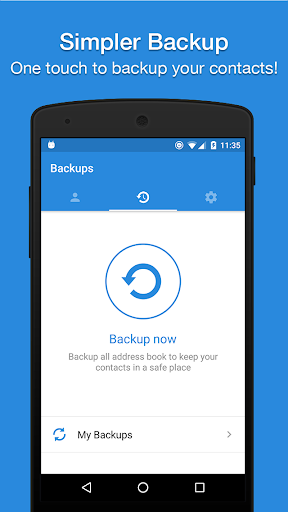
✔️ Easy Backup allows you to backup your phone’s entire contacts list with a single tap, by uploading your contacts to a secured cloud to keep them safe!
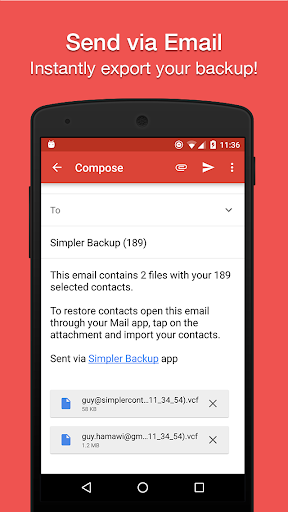
✔️ Export your contacts - you can easily send a backup .vcf file of your contacts book to any email address!
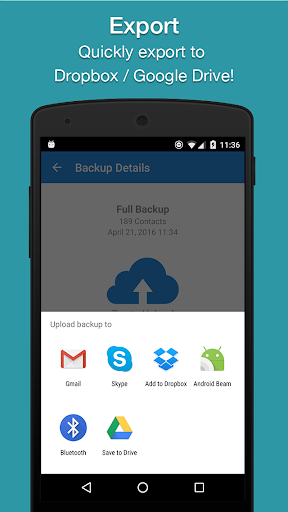
✔️ You can also send contacts via various share services such as: WhatsApp, Gmail, Google Drive, SMS, Dropbox, Skype, Telegram and many others!
✔️ Easy Backup is the easiest and the most efficient way to transfer and recover contact details of your friends and family if you lose your smartphone or switch to a new one!
💡 How it works:
🔹 To Backup your contacts:
1. Download Easy Backup on your phone
2. Create an account with your email address, Facebook or Google details.
3. Allow Easy Backup to access your contacts.
4. Hit the big “Backup Now” button
5. That’s it! Your contacts are safe on our cloud
🔹To Transfer your contacts:
1. Download Easy Backup on your other device
2. In case you are switching to an iPhone – just use Easy Backup’s iOS app
3. Sign in with the same account you did the first time
4. Hit “My Backups” on the bottom part of your screen
5. Now you have access to all your cloud backups of your address book contacts!
🔹To Restore your contacts:
1. In “My backups” tap the backup file you would like to restore contacts from
2. Hit “Tap to download “
3. Hit “Preview” and select all or any contacts you want to restore
4. Hit “Restore Contacts”
5. That’s it! Your contacts have been recovered!
🔹To Import/Export your contacts:
1. Go to My Backups
2. Choose the local or cloud backup you want to export
3. Select all or any contacts from the list
4. Hit “Email” to send a .vcf file by email or “Export” to choose from the many services you can upload your backups to
5. Open the .vcf file you just sent yourself on the other device and update your contacts
6. Easy isn’t it?
💡 MAIN FEATURES
▪️ One tap to backup your contacts!
▪️ Transfer your contacts address book between mobile devices with ease!
▪️ Offline Backup. No need to sync to any server.