Big Clock Watch Face SAM-14

Big Clock Watch Face SAM-14 Summary
Big Clock Watch Face SAM-14 is a mobile Android app in Personalization by SMA Design Watch Faces. Released in Jun 2024 (1 year ago). It has about 826+ installs Based on AppGoblin estimates, it reaches roughly 12 monthly active users . Store metadata: updated Sep 10, 2024.
Recent activity: 5.00 installs this week (11 over 4 weeks) showing strong growth View trends →
Store info: Last updated on Google Play on Sep 10, 2024 .
0★
Ratings: 0
Screenshots


App Description
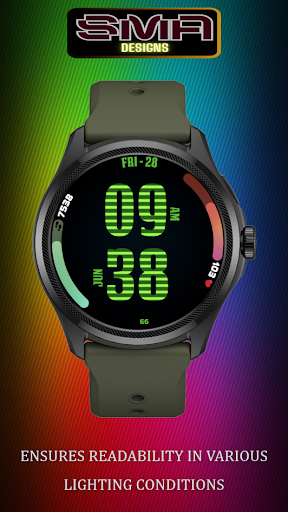
Wear OS Watch face with large time display, step count, heart rate, color themes
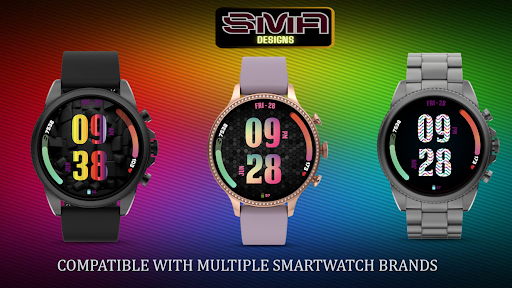
Introducing our versatile watch faces designed for both style and functionality. Featuring a large, easy-to-read font for the time, these watch faces ensure you can quickly check the hour at a glance. Additionally, they display your step count, heart rate, and battery indicator prominently, providing essential health and device status information right on your wrist.
Customization is key, and our watch faces come with multiple color combinations and themes, allowing you to personalize your smartwatch to match your outfit, mood, or occasion. Whether you prefer a professional look for the office or a vibrant design for a workout, there's a theme for everyone.
Why Choose Us:
Innovative Design: Our team of designers and engineers are committed to providing you with the latest in smartwatch technology and aesthetics.
Reliable Performance: Enjoy a watch face that not only looks great but performs flawlessly, keeping you updated with the most accurate information.
Upgrade your smartwatch experience today with our watch face app. Stay connected, stay informed, and stay stylish.
Download Now and take the first step towards a smarter, more elegant watch face experience.
★ FAQ
Q: Do your watch faces support Samsung Active 4 and Samsung Active 4 Classic?
A: Yes, our watch faces support WearOS smartwatches.
Q: How to install the watch face?
A: Follow these steps:
1. Open the Google Play Store app on your watch
2. Search for the watch face
3. Press the install button
#FitnessTracker #StepCount#HeartRate #HealthMonitoring #BatteryLife #Colorful #DynamicDesign #Interactive
#Smartwatch #FitnessTracker #HealthMonitoring #TimeManagement #StyleAndFunction #WearableTech #ColorfulDesign #ActivityTracking #HeartHealth #BatteryLife #Convenience #FashionTech