Soft Recorder

Soft Recorder Summary
Soft Recorder is a ad-supported Android app in the Tools category, developed by Awaysoft Technology. First released 6 years ago(Dec 2019), the app has accumulated 458+ total installs
Store info: Last updated on Google Play on Nov 13, 2022 .
0★
Ratings:
Screenshots

App Description
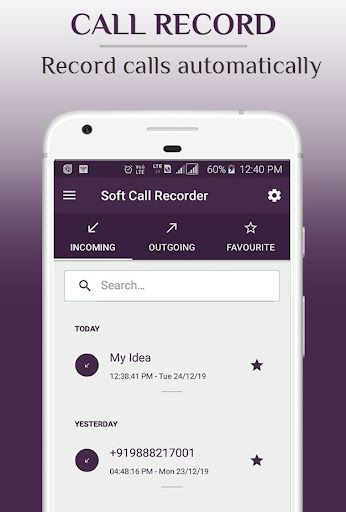
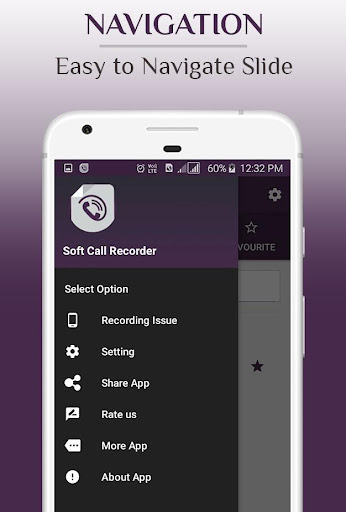
Soft Call Recorder is an advanced automatically call recording application
Soft Call Recorder is an advanced call recording application which allows you to record all
your phone calls automatically.
Features:
• Ready to use search functionality - by contact name or phone number.
• Correspondents photos and display names instead of only phone number.
• Audio Call Recorder Player
• Save and Remove Favourite call recordings easily.
• On/off incoming & outgoing automatic call recording (including calls from private numbers).
• Built-in audio player for listening to call recordings easily.
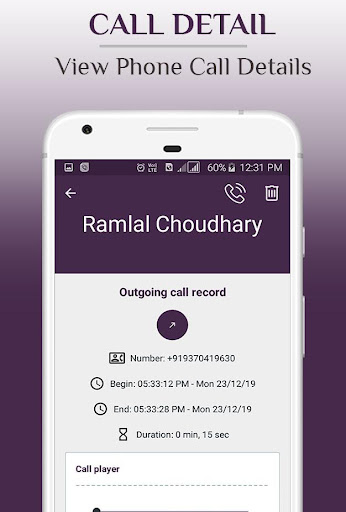
• Additional information for each record (file info, SIM info, network info, etc...).
• Delete records (with their recording files) functionality.
Additional features (options):
• Choose between internal and external storage for recording files.
• Different output formats - Select preferred output format.
• Different audio sources - Select preferred audio source.
• Different audio encoders - Select preferred audio encoder.
• "Vibrate" on call recording start & stop option (enabled by default).
• Automatically "Turn on speaker" option (disabled by default).
• "Max up volume" on call recording start and revert in-call volume to previous level on recording stop option (enabled by default).
Important (and good to know):
• To ensure proper application work, do not use Soft Call Recorder in conjunction with other call recorder application.
• Some devices and Android versions do not support call recording. Enabling "Turn on speaker"
option from application "Settings" (which will automatically turn on speaker on recording start) or turning speaker on manually can reroute correspondent audio to your device microphone and fix this issue.
Legal:
• You should not use Soft Call Recorder if you are braking local laws related to call recording in your country.
Other information:
• Contact us on email if you have any issues or feature requests (contact@awaysofttech.com).