VirtualTablet Lite (S-Pen)


VirtualTablet Lite (S-Pen) Summary
VirtualTablet Lite (S-Pen) is a ad-supported Android app in Tools by Sunnysidesoft. Released in Dec 2012 (13 years ago). It has about 2M+ installs and 6K ratings with a 2.53★ (poor) average. Based on AppGoblin estimates, it reaches roughly 83.8K monthly active users and generates around $<10K monthly revenue (0% IAP / 100% ads). Store metadata: updated Nov 13, 2025.
Recent activity: 2K installs this week (10.7K over 4 weeks) showing steady growth , and 2.00 new ratings this week View trends →
Store info: Last updated on Google Play on Nov 13, 2025 .
2.53★
Ratings: 6K
Screenshots



App Description
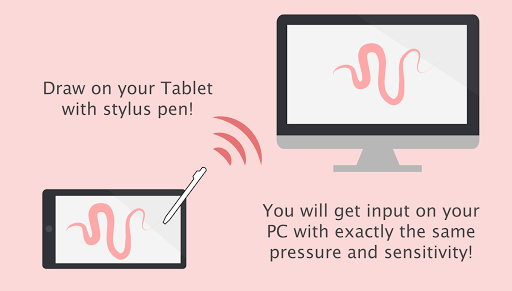
Draw on your PC with your tablet! Turn your tablet into wireless digitizer!
*** If you have a tablet/phone device, you can draw on your PC with VirtualTablet!***
*** If you have Galaxy Note Series with S-Pen, you can draw with pressure sensitivity!***
*** Additional server program(can be downloaded from http://www.sunnysidesoft.com/virtualtablet) should be running on your PC(support both Windows & Mac) to use this app***
** VirtualTablet Lite version with AD is also available in store **
** You can buy the full version of VirtualTablet with no Ad in the store **
Turn your tablet device into wireless digitizer!
Run this app on the tablet device with stylus pen support. If VirtualTablet Server program is running on your PC, you can seamlessly transfer your input to your PC like you use real digitizer H/W. You can download the VirtualTablet Server program free of charge from http://www.sunnysidesoft.com/virtualtablet
You don't need to buy real digitizer (such as Wacom Tablet) for your desktop anymore.
If you wanna draw with your stylus pen, download VirtualTablet now!
Turn your tablet device into cool wireless digitizer with this app.
[Detail Features]
- USB & Bluetooth & WiFi connection mode
- Left/Right handed mode
- Tablet size adjustment
- Support all input mode of S-Pen like stylus.(in-range hover movement, barrel button, eraser tip, and etc.)
- Support drawing with finger or capacitive stylus as well.
- Automatic server discovery in the same WiFi network.
[Things You Can Do with this App]
- Draw with your stylus pen on canvas of any graphics applications in your PC. Enjoy drawing with brush tools using your stylus! (Works well with Adobe Photoshop, Illustrator, Animate, Sketchbook Pro, and etc).
- Remotely control your PC with stylus pen or finger (same as remote mouse).
- Make a hand writing annotation on your PC's PDF viewer.