Postershop - Typography Design

Postershop - Typography Design Summary
Postershop - Typography Design is a ad-supported, with in-app purchases Android app in Photo And Video by Tar7ah. Released in Jun 2019 (6 years ago). It has about 3.4M+ installs and 43.6K ratings with a 4.65★ (excellent) average. Based on AppGoblin estimates, it reaches roughly 32.2K monthly active users and generates around $<10K monthly revenue (42% IAP / 58% ads). Store metadata: updated May 20, 2025.
Recent activity: 2.8K installs this week (13.5K over 4 weeks) showing steady growth , and 9.00 new ratings this week View trends →
Data tracking: SDKs and third-party integrations were last analyzed on Feb 26, 2025.
Store info: Last updated on Google Play on May 20, 2025 .
Postershop - Typography Design was last scanned for SDKs 2025-02-26. Below is the overview of third party companies detected in the app. The full list of raw SDKs, app permissions and unknown SDKs is available here.
 Kotlin
 Google
 AdMob
AdMob Firebase
4.65★
Ratings: 43.6K
Screenshots

App Description
Create amazing posters, write on photos, and design easily like a pro.
Designed with simplicity in mind, Postershop is the perfect app for poster and typography design. We provided many amazing tools and options you’ll need to make your posters pop and be unique.
It’s not only an easy app to use which you can control your designs completely with, but it also has a variety of unique tools you won’t find elsewhere.
With all features included, we have no doubt that Postershop is the best professional poster maker you’ll find for smartphones.
So if you needed to edit photos or create posters, quotes or even logos, Postershop is the way to go.
• Features:
- Ways to start your poster design:
1- Pick one of 39 amazing smart modifiable templates.
2- Start with a colored canvas.
3- Design on a photo chosen from your gallery. (Use your own photos).
4- Start with an empty transparent canvas.
- Objects you can add to the design:
1- Text.
2- Image from gallery.
3- Shapes (rectangle, circle, draw a polygon …etc).
4- Draw (brush).
5- Modifiable icons.
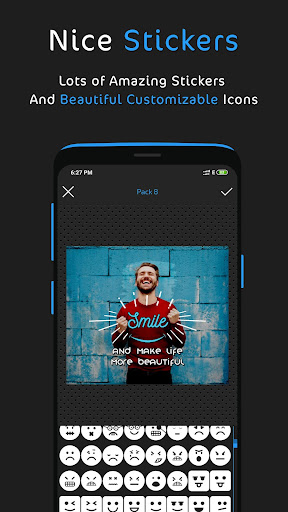
6- Stickers.
- Text tools and features:
1- Fill with multiple options.
2- Lots of fonts with the ability to add custom fonts.
3- Opacity.
4- Stroke.
5- Shadow.
6- Highlight.
7- Reflection.
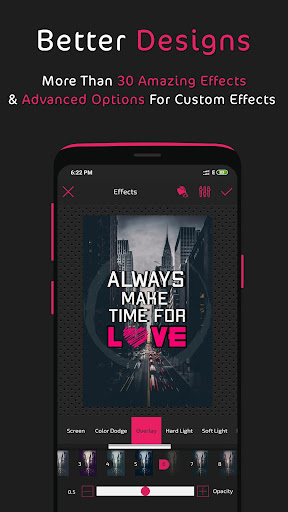
8- Layer exposure (Blend modes).
9- Filters.
10- And other tools.
- Layers menu:
1- Change order and sort layers.
2- Clone any layer.
3- Lock, hide, or delete any layer.
4- Center or/and widen layer.
5- Layer exposure (Blend modes).
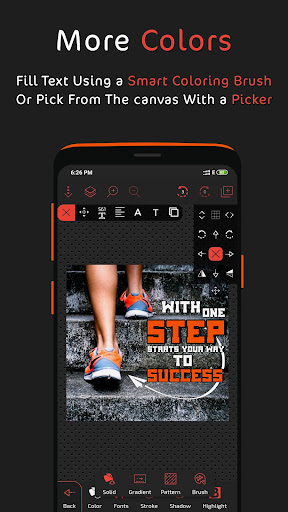
- Fill options:
1- Fill with a single color.
2- Linear and radial gradient.
3- Pattern.
4- Color brush.
5- Fill with an image from the gallery.
6- Color picker (pick a color from an image).
7- Color wheel.
- Photo editing tools:
1- Crop and rotate.
2- Ai powered background removal tool.
3- Eraser brush.
4- Effects and filters. (with the ability to create custom effects).
5- Layer exposure (Blend modes).
6- Add Border.
7- Control image radius.
8- And other tools.
- Design save and export options:
1- Save as a PNG photo with multiple resolution options.
2- Save as a JPEG photo with modifiable quality and with multiple resolution options.
3- Save as a design you can revisit and edit later and with design auto save.
- Other features:
1- Draw with a brush in any color and change its width and fill easily.
2- Group and ungroup feature for better design control.
3- Add dashes to strokes & borders.
4- Z