Teradek Bolt

Teradek Bolt Summary
Teradek Bolt is a mobile Android app in Entertainment by Teradek, LLC. Released in Nov 2019 (6 years ago). It has about 11.5K+ installs and 18 ratings with a 3.43★ (mixed) average. Based on AppGoblin estimates, it reaches roughly 485 monthly active users . Store metadata: updated Nov 18, 2025.
Recent activity: 72 installs this week (204 over 4 weeks) showing above average growth View trends →
Store info: Last updated on Google Play on Nov 18, 2025 .
3.43★
Ratings: 18
Screenshots

App Description
Manage every parameter of your Bolt 4K from the convenience of your smartphone.
Bolt Manager App
Manage every parameter of your Bolt 4K from the convenience of your smartphone. Pair units, update firmware, and configure all of Bolt 4K's features (including spectrum analyzer, range finder, etc.) remotely and save time in production.
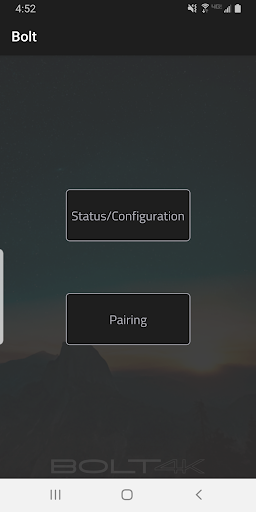
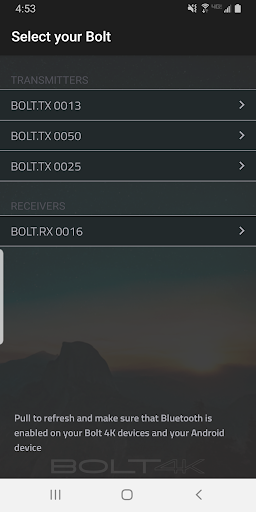
Pairing - Pair transmitters and receivers right from your Android phone or tablet.
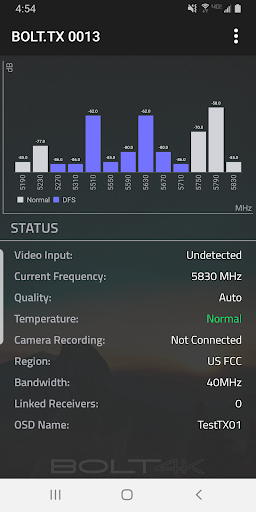
Spectrum Analyzer - Bolt 4K receivers include a built-in 5GHz spectrum analyzer, allowing you to detect congestion in the area and determine which frequency offers the best performance your devices.
Channel Selection - Manually select the 5GHz channel that's best for your area or to abide by local wireless laws. Bolt 4K can also be set to operate over the 20MHz frequency for better wireless performance.
Quality/Range Analyzer - See additional video quality and information about the distance between connected devices.
Better understanding of range between Tx and Rx. Display more information about environment and distance between connected devices. Gives more information about signal quality, video quality and range between devices. Doesn't tell you what the best signal is.
3D LUT Selection - Achieve the look you're after with Bolt's integrated 3D LUT technology. Select from LUT presets or upload your own into the app.
Quality Selection - Choose between Maximum Quality, Maximum Range and Balanced. This allows you to set your devices to operate just as you need them to on set.
Broadcast Mode - Increase transmission and prevent multiple receivers from interfering with each other when placed close together.
Currently, broadcast mode can increase broadcast range
Output Format - Select the resolution and framerate of the video output in your Bolt receiver.
Test Pattern - Output a test pattern from your Bolt receiver.
Audio Settings - Enable a tone to ring when camera recording is triggered, or mute sounds from the Bolt.
Display Settings - Adjust the lights on Bolt's LCD display.
System Info - Check the current firmware version and apply updates when available. Also perform factory resets directly from the app.