Video Widget: Live Home Screen


Video Widget: Live Home Screen Summary
Video Widget: Live Home Screen is a with in-app purchases Android app in Personalization by zwh.tec. Released in Mar 2025 (12 months ago). It has about 17.2K+ installs and 277 ratings with a 2.93★ (poor) average. Based on AppGoblin estimates, it reaches roughly 800 monthly active users and generates around $<10K monthly revenue (100% IAP / 0% ads). Store metadata: updated Sep 28, 2025, version 131.
Recent activity: 398 installs this week (1.6K over 4 weeks) showing steady growth , and 5.00 new ratings this week View trends →
Data tracking: SDKs and third-party integrations were last analyzed on Jan 9, 2026. The app's network data flows (API traffic to/from the app and its SDKs) were last crawled on Jan 9, 2026.
Store info: Last updated on Google Play on Sep 28, 2025 (version 131).
Video Widget: Live Home Screen was last scanned for SDKs 2026-01-09. Below is the overview of third party companies detected in the app. The full list of raw SDKs, app permissions and unknown SDKs is available here.
 Airbnb Engineering
 Square
 Google
 Bumptech
 Firebase
 AdMob
AdMob2.93★
Ratings: 277
Screenshots


App Description
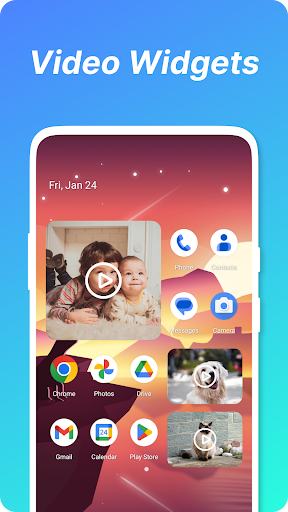
Transform your home screen with live video widgets. Customize size & style!
✨ Features
- Dynamic Widgets: Display live videos directly on your home screen.
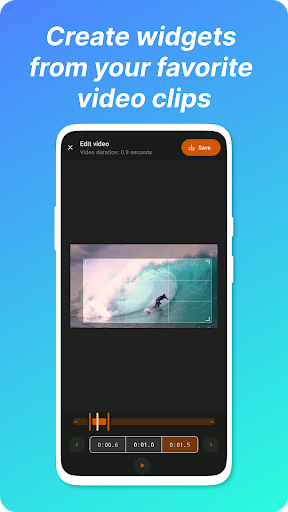
- Full Customization: Adjust widget size, style, and playback duration.
- Easy Setup: No technical skills needed—drag, drop, and personalize!
🚀 How to Use
1. Install Video Widget.
2. Pinch/Long-press home screen → Tap Widgets → Select Video Widget.
3. Drag & Drop to desired location. Done!
⚠️ Fix Loading Issues
Android may restrict background processes. Ensure smooth playback by:
- Whitelisting in device Security/Permissions settings.
- Disabling battery optimization for Video Widget.
Detailed guide: https://dontkillmyapp.com
⚠️ Why Video Keeps Loading or empty frame
Android's power and performance management have become strict, and the background program might be killed. You can browse this page to solve the problem.
https://dontkillmyapp.com/
The general solution is: Add the widget to the whitelist.
Go to Security App → Permissions → Press auto start
or
Go to Security Center > Privacy permission > Auto-run Management
In a nutshell, just change all the power and memory management setting to manual and in the whitelist to prevent system kill widget's process.
If you like this video widget, please give 5 stars.
Your support is my greatest motivation.