Launcher for iPhone 14 Pro Max
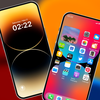

Launcher for iPhone 14 Pro Max Summary
Launcher for iPhone 14 Pro Max is a ad-supported Android app in the Personalization category, developed by Volunteerx 360. First released 4 years ago(Mar 2021), the app has accumulated 2.2M+ total installs and 6.9K ratings with a 3.77★ (average) average rating.
Recent activity: 9.1K installs this week (18.1K over 4 weeks) showing steady growth , and 9.00 new ratings this week (23 over 4 weeks) with declining momentum. View trends →
Data tracking: SDKs and third-party integrations were last analyzed on Nov 9, 2025. The app's network data flows (API traffic to/from the app and its SDKs) were last crawled on Feb 3, 2026.
Store info: Last updated on Google Play on Jan 27, 2026 (version 46).
Launcher for iPhone 14 Pro Max was last scanned for SDKs 2025-11-09. Below is the overview of third party companies detected in the app. The full list of raw SDKs, app permissions and unknown SDKs is available here.
 Google
 Airbnb Engineering
 Bumptech
 AdMob
AdMob3.77★
Ratings: 6.9K
Screenshots


App Description
Make your phone beautiful and stylish with beautiful wallpaper and themes
Launcher for iPhone 14 Pro Max is a modern and beautifully designed launcher that transforms your phone into a visually stunning, highly customizable, and elegant interface. With smooth animations, intelligent layouts, and advanced personalization tools, it creates an environment that feels fresh, organized, and comfortable. From the home screen to app management, every interaction is designed to enhance your experience and make your device more enjoyable.
Launcher for iPhone 14 Pro Max offers effortless and expressive customization. Personalize wallpapers, icons, folders, layouts, and gestures to match your unique style minimal, vibrant, or anything in between. Smooth transitions, elegant animations, and a polished interface ensure every interaction feels fluid, natural, and visually refined.
Launcher for iPhone 14 Pro Max focuses on functionality, simplicity, and beauty. The interface allows quick access to apps, smart organization of your content, and responsive actions that keep your device running smoothly. Every feature from the smart control panel to the dynamic interaction area, app library, and quick search is designed to improve efficiency while maintaining a visually appealing and refined look.
Features
Dynamic Interaction Area: Transform your home screen with an interactive floating element that responds smoothly to every action, adding a lively and engaging feel to your device.
Smart Control Panel: Quickly access essential tools, settings, and controls from one beautifully designed panel, keeping your interface organized, sleek, and easy to use.
Hide & Unhide Apps: Effortlessly manage which apps appear on your home screen and in your app library, keeping your interface tidy and well-organized for easier navigation.
Change App Name & Icon: Fully customize each app by changing its name and icon, giving your device a unique look that matches your personal style and preferences.
Home Screen Customization: Take full control over your home screen layout, icon sizes, and dock settings, allowing you to create a setup that is both functional and visually appealing.
Create Folders: Group apps into folders for better organization, reducing clutter and making it easy to access multiple apps in one place while keeping your home screen clean.
App Library: Automatically sort and categorize all your apps into smart folders, so you can find your favourite and most-used apps instantly without searching endlessly.
Quick Search: Locate any app on your device instantly using a fast, responsive search bar that offers smart suggestions as you type, saving time and effort.
Wallpapers: Explore a large collection of high-definition and live animated wallpapers that refresh your device’s look and give your home screen a vibrant, dynamic appearance.
Ringtones: Personalize your device sounds for calls, notifications, and alarms with a wide selection of tones, making every alert stylish and in line with your preferences.
Smooth & Elegant Interface: Enjoy a modern, visually appealing interface with fluid transitions, responsive gestures, and polished animations that make navigation seamless and enjoyable.
Accessibility Service Use:
Accessibility Service only to enhance navigation and launcher features. It improves performance without collecting any personal data.
• Enables gesture navigation
• Activates Dynamic Island & Control Center
• Enhances home screen/app library responsiveness
• Must be enabled manually by the user
• Can be turned off anytime in device settings
• No data is collected, stored, shared
• Does not record audio or read calls/messages
• Performs no unauthorized actions
To learn which permissions this app uses and why, read our Privacy Policy: https://volunteerx360.blogspot.com/
To understand how the app works and which permissions it needs, watch this video: https://youtube.com/shorts/zRbcZtXCno4?feature=share
Any questions or support, contact us at: mjjattoi5028@gmail.com