AR Draw Sketch: Trace & Sketch


AR Draw Sketch: Trace & Sketch Summary
AR Draw Sketch: Trace & Sketch is a ad-supported Android app in the Tools category, developed by JanDeveloper. First released 1 year ago(May 2024), the app has accumulated 5.2M+ total installs and 2.3K ratings with a 3.18★ (mixed) average rating.
Data tracking: SDKs and third-party integrations were last analyzed on Feb 23, 2025.
Store info: Last updated on Google Play on Apr 15, 2025 .
AR Draw Sketch: Trace & Sketch was last scanned for SDKs 2025-02-23. Below is the overview of third party companies detected in the app. The full list of raw SDKs, app permissions and unknown SDKs is available here.
 Facebook
 Unity
Unity ironSource
 Google
 Airbnb Engineering
 Kotlin
 Greenrobot
 AdMob
AdMob Firebase
 Adjust
3.18★
Ratings: 2.3K
Screenshots


App Description
AR Draw Sketch: Trace & Sketch is mobile app designed to unleash your creativity
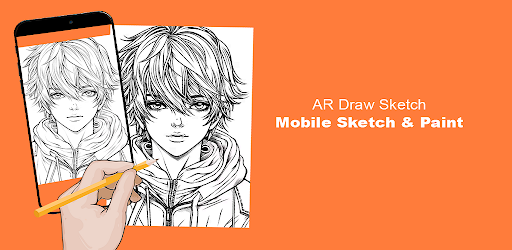
"AR Draw Sketch: Trace & Sketch" is an innovative mobile app designed to unleash your creativity through augmented reality (AR) technology. Transform your mobile device into a digital canvas and explore the exciting world of AR drawing and sketching.
Key Features:
AR Drawing with Camera:
Unleash your creativity by drawing directly on your surroundings using your phone's camera.
Immerse yourself in a unique drawing experience that seamlessly blends the virtual and real worlds.
Diverse Sketch Themes:
Explore a wide range of themes to sketch, catering to various interests and preferences.
Choose from categories like animals, anime, chibi, flowers, nature, cute, faces, food, vegetables, vehicles, and more.
Built-in Flashlight:
Illuminate your artistic journey with the built-in flashlight, providing optimal visibility for precision drawing.
Ensure that your sketches are detailed and vibrant, even in low-light environments.
Gallery Upload:
Showcase your masterpieces by uploading them to the in-app gallery.
Share your artwork with the community, receive feedback, and be inspired by the creativity of others.
Video Clips of the Creative Process:
Capture the evolution of your sketches by making video clips of the drawing and painting processes.
Share your artistic journey with friends and followers on social media.
Sketch and Trace:
Generate sketches and use them as templates for your own drawings.
Experiment with tracing to learn new techniques and enhance your artistic skills.
Modify Drawing Strokes:
Customize your drawing strokes to suit your preferences and make the drawing process more intuitive.
Easily adjust settings to match your style and skill level.
Practice Painting:
Use the app as a canvas for practicing painting techniques.
Develop your skills in a virtual space before transferring your creativity to traditional mediums.
Photo Integration:
Take photos and seamlessly incorporate them into your sketchbook.
Select images from your gallery to use as references or backgrounds for your drawings.
How to Use:
Download & Open:
Head to your app store and download DrawingAR.
Open the app to embark on a unique drawing experience.
Import or Select Image:
Choose an image from your device's gallery or use the app's built-in selection.
Import the image you want to trace onto your real-world canvas.
Set Up Your Canvas:
Find a well-lit area to set up your paper or sketch pad.
Ensure your canvas is ready for your masterpiece.
Adjust Image Overlay:
Use the intuitive controls to adjust the image overlay.
Position it perfec