Analog Basic 13 Wear OS 4+

Analog Basic 13 Wear OS 4+ Summary
Analog Basic 13 Wear OS 4+ is a Android app in the Personalization category, developed by OQ Watchfaces. First released 3 years ago(Dec 2022), the app has accumulated 6.2K+ total installs and 67 ratings with a 4.53★ (excellent) average rating.
Recent activity: 5 installs this week (54 over 4 weeks) showing above average growth View trends →
Store info: Last updated on Google Play on Aug 20, 2024 .
4.53★
Ratings: 67
Screenshots

App Description
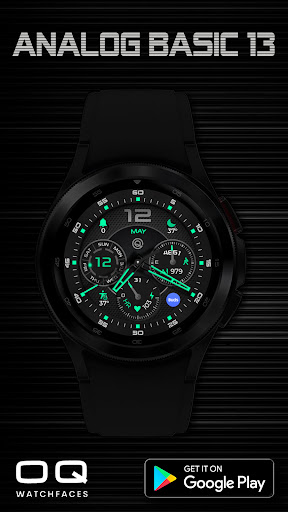
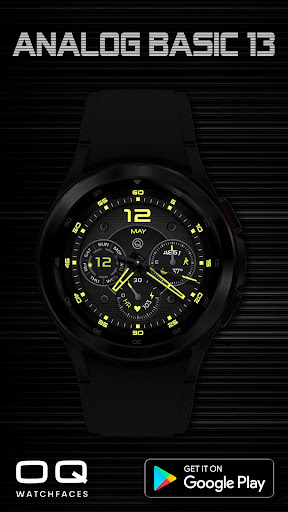
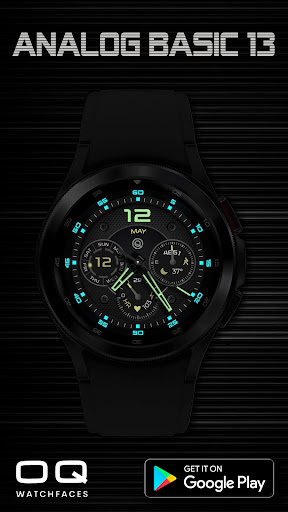
A stylish analog watchface with lot of color style customizations and features.
This watch face for wear OS has following features :-
1. Tap at 3 o clock index square right of step chrono it will open watch dial app.
2. Tap at 9 o clock index square left of date chrono it will open watch messaging app.
3. Tap at OQ Logo it will open watch Settings menu.
4. Tap at 1 o clock index hours square it will open Google Maps app.
5. Tap at 11 o clock index hours square it will open Watch Gallery app.
6. Tap at 2 o clock hours index square it will open watch find my phone app.
7. Tap at 10 o clock hours index square it will open watch compass app.
8. Tap at 2 o clock hours index square it will open watch find my phone app.
9. Tap at 12 o clock on number 12 above OQ logo it will open Watch Play store app.
10. Tap on Month text to open watch alarm app.
11. Tapping at Battery percentage text will open watch battery settings app.
12. 6 x customizable short text complications via customization menu.
13. 1 x customizable shortcut complication via customization menu.
14. Dim modes for both main and AoD are also available in customization menu.
15. Tap on Heart Icon and it will open Samsung Heart Rate Monitor Counter.