CELEST5646 Gamer Watch

CELEST5646 Gamer Watch Summary
CELEST5646 Gamer Watch is a mobile Android app in Personalization by CELEST Watches. Released in Mar 2026 (recently released ago). It has about 103+ installs Based on AppGoblin estimates, it reaches roughly 103 monthly active users . Store metadata: updated Mar 7, 2026.
Recent activity: 103 installs this week (103 over 4 weeks) View trends →
Store info: Last updated on Google Play on Mar 7, 2026 .
0★
Ratings: 0
Screenshots


App Description
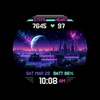
Retro 80s & 90s gaming watch face with 37 Sci-Fi, Fantasy & Cyberpunk scenes.
Relive the golden age of 8-bit and 16-bit gaming with this retro-inspired watch face. Designed to capture the vibrant aesthetic of the 80s and 90s, every pixel-perfect landscape and classic digital font serves as a tribute to the era of arcade cabinets and handheld consoles. While this face features no customizable complications, it keeps your essential stats—steps, heart rate, and battery—seamlessly integrated into a clean, immersive UI that prioritizes nostalgic style.
Tailor your experience with 37 background variations categorized into four distinct themes: Sci-Fi, Fantasy, Big City, and Cyberpunk. Whether you want to overlook a mystical castle or a neon-soaked skyline, you can find the perfect backdrop to match your mood. Combined with 30 UI color variations, you have total control over your watch's retro palette, from high-contrast neons to muted vintage tones.
🎨 PERSONALIZATION OPTIONS
· 37 background scene variations in four customization options. Please keep in mind that upper background layers hide backgrounds on lower layers.
· Option to hide steps and heart rate data on the AOD for even better battery life
· Option to add side-arch decorations
📱 COMPATIBILITY
✅ Works with Galaxy Watch, Pixel Watch, and all Wear OS 5+ devices
🔧 INSTALLATION HELP
Having trouble? We've got you covered:
- Use the dropdown menu next to "Install" on your phone to select your watch model or install directly from your watch's Play Store app
- Updating weather data may take time after installation but switching to another watch face and switching back or restarting both the watch and phone usually helps
- Check out our installation and troubleshooting guide: https://celest-watches.com/installation-troubleshooting/
- Contact us at info@celest-watches.com for quick support
🏪 DISCOVER MORE
Browse our full collection of premium Wear OS watch faces:
🔗 https://celest-watches.com
💰 Exclusive discounts available
📞 SUPPORT & COMMUNITY
📧 Support: info@celest-watches.com
📱 Follow @celestwatches on Instagram or sign up to our newsletter!