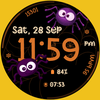
(h013) Spider Dial

ASO Keyword Dashboard
Tracking 99 keywords for (h013) Spider Dial in Google Play
(h013) Spider Dial tracks 99 keywords (no keywords rank yet; 99 need traction). Key metrics: opportunity 70.4, difficulty 50.6.
Spider-Themed Digital Watch Face for WEAR OS
Tracked keywords
99
0 ranked • 99 not ranking yet
Top 10 coverage
—
Best rank — • Latest leader —
Avg opportunity
70.4
Top keyword: faces
Avg difficulty
50.6
Lower scores indicate easier wins
Opportunity leaders
- 63.7
faces
Opportunity: 75.0 • Difficulty: 40.8 • Rank —
Competitors: 353
- 65.8
box
Opportunity: 74.0 • Difficulty: 44.2 • Rank —
Competitors: 817
- 61.2
tested
Opportunity: 74.0 • Difficulty: 40.2 • Rank —
Competitors: 403
- 60.2
watch faces
Opportunity: 74.0 • Difficulty: 36.5 • Rank —
Competitors: 34
- 62.4
rotate
Opportunity: 74.0 • Difficulty: 43.4 • Rank —
Competitors: 595
Unranked opportunities
faces
Opportunity: 75.0 • Difficulty: 40.8 • Competitors: 353
box
Opportunity: 74.0 • Difficulty: 44.2 • Competitors: 817
tested
Opportunity: 74.0 • Difficulty: 40.2 • Competitors: 403
watch faces
Opportunity: 74.0 • Difficulty: 36.5 • Competitors: 34
rotate
Opportunity: 74.0 • Difficulty: 43.4 • Competitors: 595
High competition keywords
make
Total apps: 327,341 • Major competitors: 18,223
Latest rank: — • Difficulty: 58.8
find
Total apps: 307,165 • Major competitors: 16,288
Latest rank: — • Difficulty: 59.7
features
Total apps: 253,887 • Major competitors: 13,784
Latest rank: — • Difficulty: 59.3
using
Total apps: 221,966 • Major competitors: 10,965
Latest rank: — • Difficulty: 57.9
play
Total apps: 206,958 • Major competitors: 18,529
Latest rank: — • Difficulty: 62.1
All tracked keywords
Includes opportunity, difficulty, rankings and competitor benchmarks
| Major Competitors | |||||||
|---|---|---|---|---|---|---|---|
| play | 66 | 100 | 62 | 85 206,958 competing apps Median installs: 6,219 Avg rating: 2.3 | — | — | 18,529 major competitor apps |
| change | 68 | 100 | 53 | 79 90,509 competing apps Median installs: 3,508 Avg rating: 2.2 | — | — | 5,877 major competitor apps |
| device | 68 | 100 | 63 | 80 107,978 competing apps Median installs: 2,602 Avg rating: 2.1 | — | — | 6,164 major competitor apps |
| make | 65 | 100 | 59 | 88 327,341 competing apps Median installs: 2,047 Avg rating: 2.1 | — | — | 18,223 major competitor apps |
| phone | 67 | 100 | 62 | 83 152,369 competing apps Median installs: 2,624 Avg rating: 2.1 | — | — | 8,545 major competitor apps |
| connected | 69 | 100 | 51 | 78 74,127 competing apps Median installs: 549 Avg rating: 1.8 | — | — | 2,177 major competitor apps |
| within | 68 | 100 | 52 | 80 102,786 competing apps Median installs: 1,281 Avg rating: 1.9 | — | — | 3,681 major competitor apps |
| digital | 68 | 100 | 52 | 81 124,534 competing apps Median installs: 778 Avg rating: 1.8 | — | — | 4,271 major competitor apps |
| wear | 71 | 100 | 63 | 72 32,642 competing apps Median installs: 359 Avg rating: 1.6 | — | — | 811 major competitor apps |
| clock | 73 | 100 | 46 | 68 18,998 competing apps Median installs: 1,176 Avg rating: 2.0 | — | — | 778 major competitor apps |
| wear os | 72 | 100 | 61 | 70 24,337 competing apps Median installs: 294 Avg rating: 1.5 | — | — | 289 major competitor apps |
| team | 69 | 100 | 53 | 79 85,638 competing apps Median installs: 1,274 Avg rating: 2.0 | — | — | 3,959 major competitor apps |
| using | 66 | 100 | 58 | 85 221,966 competing apps Median installs: 2,289 Avg rating: 2.0 | — | — | 10,965 major competitor apps |
| find | 65 | 100 | 60 | 87 307,165 competing apps Median installs: 2,265 Avg rating: 2.1 | — | — | 16,288 major competitor apps |
| available | 66 | 100 | 60 | 84 199,899 competing apps Median installs: 2,015 Avg rating: 2.1 | — | — | 9,729 major competitor apps |
| customizable | 71 | 100 | 49 | 73 40,926 competing apps Median installs: 1,100 Avg rating: 2.1 | — | — | 2,084 major competitor apps |
| swipe | 72 | 100 | 51 | 69 22,431 competing apps Median installs: 3,321 Avg rating: 2.2 | — | — | 1,524 major competitor apps |
| account | 68 | 100 | 55 | 79 93,969 competing apps Median installs: 1,719 Avg rating: 2.1 | — | — | 4,674 major competitor apps |
| install | 70 | 100 | 50 | 76 59,109 competing apps Median installs: 2,464 Avg rating: 2.1 | — | — | 2,546 major competitor apps |
| store | 69 | 100 | 55 | 78 81,488 competing apps Median installs: 1,307 Avg rating: 2.0 | — | — | 3,956 major competitor apps |
| watch | 68 | 100 | 58 | 80 104,315 competing apps Median installs: 1,012 Avg rating: 1.9 | — | — | 5,216 major competitor apps |
| search | 67 | 100 | 60 | 82 131,336 competing apps Median installs: 2,553 Avg rating: 2.1 | — | — | 6,363 major competitor apps |
| galaxy | 73 | 100 | 52 | 68 18,213 competing apps Median installs: 594 Avg rating: 1.9 | — | — | 612 major competitor apps |
| notification | 70 | 100 | 49 | 74 44,154 competing apps Median installs: 1,265 Avg rating: 2.0 | — | — | 1,902 major competitor apps |
| face | 69 | 100 | 51 | 76 63,409 competing apps Median installs: 1,072 Avg rating: 1.9 | — | — | 3,419 major competitor apps |
App Description
Spider-Themed Digital Watch Face for WEAR OS
Our watch face apps are thoroughly tested in a real device (Galaxy Watch 4) and are "reviewed and approved" by the Google Play Store Team before publishing them.
TAKE NOTE❗️❗️❗️
1️⃣ Watch faces automatically install on WEAR OS watch.
2️⃣ MAKE SURE THE WATCH IS STRONGLY CONNECTED TO YOUR PHONE USING THE SAME WIFI. MUST ALSO LOG IN TO YOUR GOOGLE ACCOUNT "ON WATCH" FOR SEAMLESS INSTALLATION.
3️⃣ After download, WAIT for a few minutes for the watch face to be transferred on watch. (There will be a notification on your watch if the watch face was successfully transferred.)
4️⃣ If incase there is no notification, Go to PLAYSTORE ON YOUR WATCH and type on the SEARCH BOX "Spider Dial"
5️⃣ The watch face will show up, then hit on install button.
⭐️ Watch faces don't automatically change after successful installation. Go back to home display. Tap and hold display, swipe until the end and tap + to add the watch face. Rotate Bezel to find the watch face.
📍Please see Feature Graphics for more details how to install.
⭐️ALLOW / ENABLE all permissions from settings -> applications -> permissions.
⚠️⚠️⚠️ Refund is ONLY allowed within 48 hours.
📍FEATURES:
-Digital Clock (12/24 Hr)
-Date
-Always-On (AOD)
-Preset App Shortcuts
-Customizable App Shortcuts and Complications
-Color palette and different styles
📍Supports Wear OS watches, but some features may not be available on some watches.
Full Collection: https://play.google.com/store/apps/dev?id=6725031987685773948
Contact us at: ajgearbusiness@gmail.com
Youtube Installation Tutorial: https://www.youtube.com/watch?v=vMM4Q2-rqoM