MD332 Digital watch face

MD332 Digital watch face Summary
MD332 Digital watch face is a mobile Android app in Personalization by Matteo Dini MD ® Watch Faces. Released in Dec 2023 (2 years ago). It has about 30.4K+ installs and 816 ratings with a 4.54★ (excellent) average. Based on AppGoblin estimates, it reaches roughly 565 monthly active users . Store metadata: updated Aug 24, 2025.
Recent activity: 129 installs this week (863 over 4 weeks) showing steady growth , and 3.00 new ratings this week View trends →
Store info: Last updated on Google Play on Aug 24, 2025 .
4.54★
Ratings: 816
Screenshots


App Description
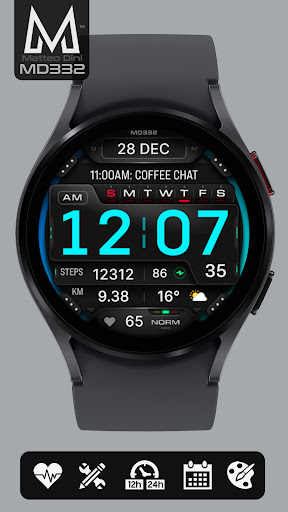
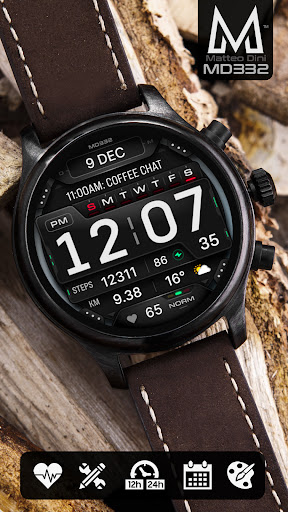
Digital watch face with big numbers and many customization for Wear OS devices
New watch face format.
Note for Galaxy Watch Users: The watch face editor in the Samsung Wearable app often fails to load complex watch faces like this one.
This is not an issue with the watch face itself.
It is recommended to customize the watch face directly on the watch until Samsung resolves this issue.
TAP AND HOLD SCREEN ON WATCH AND SELECT CUSTOMIZE.
It contains 3 Preset App shortcuts, 4 customizable shortcuts, 4 customizable complications where you can have the data you prefer like weather, barometer, distance walked, calories, uv index, chanche of rain and many more.
INSTALLATION NOTES:
Please check this link for installation and troubleshooting guide:
https://www.matteodinimd.com/watchface-installation/
This watch face supports all Wear OS devices with API Level 33+ (Wear OS 4 and later versions) like Samsung Galaxy Watch 4-8, Ultra, Pixel Watch etc.
Highlights:
- 12/24hr based on phone settings
- Date
- Day
- Battery
- Heart Rate + Intervals
- 3 Preset app shortcuts
- 4 customizable shortcuts
- 4 customizable complications
- Changeable colors of time, date, seconds, background and general colors
- Big numbers
- Minimal and full AOD
Customization:
1 - Touch and hold display
2 - Tap on customize option
Preset APP Shortcuts:
- Calendar
- Battery
- Measure Heart Rate
Complications:
you can customize the watch face with the any data you want.
For example, you can select weather, health data such calories, distance walked, world clock, barometer and many more.
To obtain data from "complications" such as distance and more, it will be necessary to install additional complications if they are not already available on your watch.
Please note that complications are NOT part of the watch face but are external apps and we have NO control over them. Thank you.
**some features may not be available on some watches.
Let's keep in touch:
Newsletter:
Sign up to stay updated with new watchfaces and promotions!
http://eepurl.com/hlRcvf
FACEBOOK:
https://www.facebook.com/matteodiniwatchfaces
INSTAGRAM:
https://www.instagram.com/mdwatchfaces/
TELEGRAM:
https://t.me/mdwatchfaces
WEB:
https://www.matteodinimd.com
Thank you.