S4U Macau Neo Watch face

ASO Keyword Dashboard
Tracking 176 keywords for S4U Macau Neo Watch face in Google Play
S4U Macau Neo Watch face tracks 176 keywords (no keywords rank yet; 176 need traction). Key metrics: opportunity 70.5, difficulty 47.4.
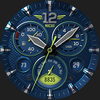
The S4U Macau NEO is an realistic analog watch face with customization options.
Tracked keywords
176
0 ranked • 176 not ranking yet
Top 10 coverage
—
Best rank — • Latest leader —
Avg opportunity
70.5
Top keyword: faces
Avg difficulty
47.4
Lower scores indicate easier wins
Opportunity leaders
- 63.6
faces
Opportunity: 75.0 • Difficulty: 40.5 • Rank —
Competitors: 392
- 62.5
analog
Opportunity: 74.0 • Difficulty: 38.5 • Rank —
Competitors: 190
- 66.1
api
Opportunity: 74.0 • Difficulty: 42.6 • Rank —
Competitors: 402
- 63.0
soft
Opportunity: 74.0 • Difficulty: 40.2 • Rank —
Competitors: 435
- 64.0
concept
Opportunity: 74.0 • Difficulty: 39.9 • Rank —
Competitors: 399
Unranked opportunities
faces
Opportunity: 75.0 • Difficulty: 40.5 • Competitors: 392
analog
Opportunity: 74.0 • Difficulty: 38.5 • Competitors: 190
api
Opportunity: 74.0 • Difficulty: 42.6 • Competitors: 402
soft
Opportunity: 74.0 • Difficulty: 40.2 • Competitors: 435
concept
Opportunity: 74.0 • Difficulty: 39.9 • Competitors: 399
High competition keywords
new
Total apps: 367,596 • Major competitors: 23,543
Latest rank: — • Difficulty: 58.6
free
Total apps: 323,639 • Major competitors: 24,336
Latest rank: — • Difficulty: 58.7
experience
Total apps: 293,083 • Major competitors: 16,994
Latest rank: — • Difficulty: 57.0
enjoy
Total apps: 281,533 • Major competitors: 20,210
Latest rank: — • Difficulty: 57.4
information
Total apps: 268,493 • Major competitors: 8,215
Latest rank: — • Difficulty: 54.8
All tracked keywords
Includes opportunity, difficulty, rankings and competitor benchmarks
| Major Competitors | |||||||
|---|---|---|---|---|---|---|---|
| free | 65 | 100 | 59 | 88 323,639 competing apps Median installs: 5,447 Avg rating: 4.1 | — | — | 24,336 major competitor apps |
| play | 66 | 100 | 60 | 85 208,292 competing apps Median installs: 7,199 Avg rating: 4.0 | — | — | 20,375 major competitor apps |
| new | 65 | 100 | 59 | 89 367,596 competing apps Median installs: 3,155 Avg rating: 4.0 | — | — | 23,543 major competitor apps |
| 69 | 100 | 50 | 77 69,614 competing apps Median installs: 2,543 Avg rating: 4.0 | — | — | 3,084 major competitor apps | |
| customization | 73 | 100 | 45 | 68 17,800 competing apps Median installs: 4,204 Avg rating: 4.1 | — | — | 1,240 major competitor apps |
| follow | 69 | 100 | 52 | 78 83,321 competing apps Median installs: 1,613 Avg rating: 4.1 | — | — | 4,453 major competitor apps |
| share | 66 | 100 | 58 | 85 217,655 competing apps Median installs: 2,917 Avg rating: 4.1 | — | — | 11,961 major competitor apps |
| change | 68 | 100 | 52 | 79 90,853 competing apps Median installs: 4,822 Avg rating: 4.0 | — | — | 6,400 major competitor apps |
| right | 67 | 100 | 57 | 83 160,130 competing apps Median installs: 1,940 Avg rating: 4.0 | — | — | 8,862 major competitor apps |
| enjoy | 65 | 100 | 57 | 87 281,533 competing apps Median installs: 3,462 Avg rating: 4.0 | — | — | 20,210 major competitor apps |
| whether | 66 | 100 | 53 | 84 191,834 competing apps Median installs: 990 Avg rating: 4.0 | — | — | 7,661 major competitor apps |
| step | 69 | 100 | 51 | 78 84,659 competing apps Median installs: 1,455 Avg rating: 4.0 | — | — | 4,173 major competitor apps |
| experience | 65 | 100 | 57 | 87 293,083 competing apps Median installs: 1,712 Avg rating: 4.0 | — | — | 16,994 major competitor apps |
| within | 68 | 100 | 51 | 80 102,410 competing apps Median installs: 1,525 Avg rating: 4.0 | — | — | 4,031 major competitor apps |
| classic | 69 | 100 | 51 | 76 61,944 competing apps Median installs: 3,449 Avg rating: 4.1 | — | — | 4,865 major competitor apps |
| heart | 71 | 100 | 47 | 74 42,841 competing apps Median installs: 1,013 Avg rating: 4.1 | — | — | 1,618 major competitor apps |
| individual | 71 | 100 | 49 | 73 38,252 competing apps Median installs: 1,420 Avg rating: 4.0 | — | — | 1,147 major competitor apps |
| wear | 71 | 100 | 61 | 72 32,741 competing apps Median installs: 379 Avg rating: 4.1 | — | — | 868 major competitor apps |
| ring | 73 | 100 | 39 | 58 4,723 competing apps Median installs: 3,877 Avg rating: 3.9 | — | — | 375 major competitor apps |
| analog | 74 | 100 | 39 | 63 8,451 competing apps Median installs: 496 Avg rating: 4.2 | — | — | 190 major competitor apps |
| date | 68 | 100 | 53 | 79 93,615 competing apps Median installs: 797 Avg rating: 4.1 | — | — | 2,927 major competitor apps |
| design | 68 | 100 | 52 | 80 100,148 competing apps Median installs: 1,963 Avg rating: 4.1 | — | — | 4,917 major competitor apps |
| wear os | 72 | 100 | 60 | 70 24,400 competing apps Median installs: 292 Avg rating: 4.2 | — | — | 300 major competitor apps |
| information | 65 | 100 | 55 | 86 268,493 competing apps Median installs: 1,201 Avg rating: 4.0 | — | — | 8,215 major competitor apps |
| setting | 72 | 100 | 50 | 70 23,465 competing apps Median installs: 3,772 Avg rating: 4.0 | — | — | 1,352 major competitor apps |
App Description
The S4U Macau NEO is an realistic analog watch face with customization options.
⚠️ IMPORTANT: Compatibility
This is a Wear OS Watch Face app and supports only smartwatches running Wear OS 5 or higher (Wear OS API 34+).
Compatible devices include:
- Samsung Galaxy Watch 4, 5, 6, 7, 8 (incl. Ultra and Classic Versions)
- Google Pixel Watch 1–3
- Other Wear OS 5+ smartwatches
If you experience any issues with installation or downloading, even on a compatible smartwatch:
1. Open the companion app provided with your purchase.
2. Follow the steps in the Install/Issues section.
Still need help? Feel free to email me at wear@s4u-watches.com for support.
****
The S4U Macau "NEO" is another very realistic classic analog dial. It is based on the design concept of the "S4U Macau". The watch face displays the time, your step count, your heart rate, your current battery status , the weekday and the day of the month.
You have 2 custom complication (change visible value) and 4 custom shortcuts to open your favorite watch app with just one click. Check out the gallery for more information about the functionality.
✨ Key Features:
- ultra realistic analog watch face
- multiple color customization
- 2 custom complication* (new since v1.1.0)
- 4 individual shortcuts (reach your favorite app/widget with just one click)
- soft or hard watch face border
🕒 Data Displayed:
Right small dial:
+ analog pedometer
Every 10,000 steps the analog hand is reset and an LED lights up. A maximum number of steps of 49,999 can be displayed. If you set up a shortcut here, you are able to reach the exactly value within one click. More information about shortcuts see below at "Setting up shortcuts".
Left small dial:
+ battery status 0-100%
Bottom small dial:
+ Weekday
+ custom complication
Value on bottom left area:
+ custom complication (The background color can be adjusted by clicking on the area below.)
Value on bottom right area:
+ Day of the Month (The background color can be adjusted by clicking on the area below.)
***
🌙 Always-On Display (AOD)
Important Notes:
- Using AOD will reduce battery life, depending on your smartwatch's settings.
- Some smartwatches may automatically dim the AOD display based on ambient light conditions.
***
🎨 CUSTOMIZATION OPTIONS
1. Press and hold the watch display.
2. Push the customize button.
3. Swipe left or right to switch between the different customizable objects.
4. Swipe up or down to change the options/color of the objects.
Available Customization Options:
- Secondary "Color" (18): Logo, Seconds hand, small hands, LCD
- Background color (6 colors)
- Index color (10)
- Ring color (10)
- Border Shadow (3)
- Small Dials Darken (2)
- Weekday Language
***
⚙️ COMPLICATIONS & SHORTCUTS
Enhance your watch face with customizable app shortcuts and complications:
- App Shortcuts: Link to your favorite widgets for quick access.
- Editable Complications: Display the data you need most by customizing the visible values.
1. Press and hold the watch display.
2. Push the customize button.
3. Swipe from right to left until you reach the "complications".
4. 6 areas are highlighted. Click on it to set what you want here. 2 Editable Complication and 4 custom shortcuts.
***
📬 Stay Connected
If you enjoy this design, be sure to check out my other creations! I’m constantly working on new watch faces for Wear OS. Visit my website to explore more:
🌐 https://www.s4u-watches.com
Feedback & Support
I’d love to hear your thoughts! Whether it’s something you like, dislike, or a suggestion for future designs, your feedback helps me improve.
📧 For direct support, email me at: wear@s4u-watches.com
💬 Leave a review on the Play Store to share your experience!
Follow Me on Social Media
Stay up to date with my latest designs and updates:
📸 Instagram: https://www.instagram.com/matze_styles4you/
👍 Facebook: https://www.facebook.com/styles4you
▶️ YouTube: https://www.youtube.com/c/styles4you-watches
🐦 X: https://x.com/MStyles4you