USB Audio Checker

USB Audio Checker Summary
USB Audio Checker is a ad-supported Android app in Tools by Widget7. Released in Jan 2020 (6 years ago). It has about 171.5K+ installs and 361 ratings with a 2.75★ (poor) average. Based on AppGoblin estimates, it reaches roughly 3.3K monthly active users and generates around $<10K monthly revenue (0% IAP / 100% ads). Store metadata: updated Aug 12, 2025.
Recent activity: 372 installs this week (1.6K over 4 weeks) showing steady growth , and 1.00 new ratings this week View trends →
Store info: Last updated on Google Play on Aug 12, 2025 .
2.75★
Ratings: 361
Screenshots


App Description
One-key widget to show your headphones working in digital or not.
1.What's Android USB type-C audio?
There are two ways to send audio data through the USB type-C port - Analog and Digital. Analog audio can be converted with an onboard DAC and amplifier inside your phone then sent out through the port to a passive set of headphones or an adapter. For this to work, the device needs to support whats called "audio accessory mode" and the headphones or adapter are just "dumb" connections that pass along the signal.
If you are using an active set of headphones or adapter, the audio signal being sent through the USB port is still in its digital form. That means the DAC and amplifier are inside of the headphones or the dongle, and the conversion is done there instead of the phone.
This can get messy. You need to make sure that you're using the right "thing". If you are using a passive adapter or headphones, your phone needs to support audio accessory mode and many don't. The mess is because most dongles, adapters, and headphones aren't labeled with how they are built and we don't know if they are active or passive.
2.How to check the USB type-C audio?
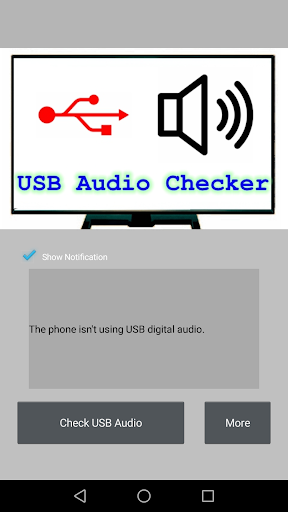
There is a one-key widget to show your headphones working in digital or not.
3.How to use USB Audio Checker?
It's very easy , click "Check USB Audio" after connecting your headphones or adapter.