YBM SW Learning


YBM SW Learning Summary
YBM SW Learning is a mobile Android app in Education by YBM NET. Released in Oct 2019 (6 years ago). It has about 15.7K+ installs and 10 ratings . Based on AppGoblin estimates, it reaches roughly 105 monthly active users . Store metadata: updated Dec 9, 2025.
Recent activity: 15 installs this week (36 over 4 weeks) showing below average growth View trends →
Store info: Last updated on Google Play on Dec 9, 2025 .
0★
Ratings: 10
Screenshots


App Description
YBMNET Online Software Coding Learning
You can learn from the web, even on mobile. (Test can only be done on PC)
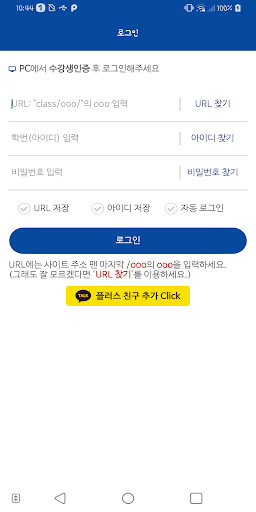
Please log in after checking the site address and account information.
YBM SW (YBMNET Software Learning courses-course names vary by course)
* Can't play lectures: Netbook, Galaxy Tab 10.1 not supported
* Tablet PC optimized for iPad and Galaxy Tab 7.0
(Android may be abnormal for some screens and features other than the optimized model.)
[Information Use]
1. Login method
URL: Enter the initial after the last slash (/) of the website URL.
-Enter ID / Password: Web student registration and login process must be preceded
-Progress information is linked to the web in real time
2. VOD User Guide
-Can only proceed within the learning period
-Offer differs according to course curriculum
-Attendance checkpoint included (depending on course)
-Video streaming, download service
(If you take the course in 3G / LTE environment, you will incur data charges.)
3. Notice
-You may incur data charges while you are learning, so try learning on Wi-Fi.
-If the network is in poor condition, the learning results may be lost.
[Access Rights Consent Guide]
Based on Article 22-2 (Consent to Access Rights) of the Information and Communication Network Act, which is enforced on March 23, 2017, only essential items required for service are accessed.
[Required access]
1. Device and App History: Used to search for running apps.
2. Storage: Used to save the video.
[Optional access rights]
1. Camera: Used to upload Q & A photos.
2. Device ID and call information: Used to receive a call during the test.
For users of Android OS 6.0 or higher, you can revoke consent for optional access in Device Settings> Application Management. However, the app may be stopped when accessing the menu that requires the corresponding function, and it can be used normally when changed with consent.
(For users below OS 6.0, the selective revocation of consent may not be provided, which may cause problems with the app.