PDF Image Extractor

PDF Image Extractor Summary
PDF Image Extractor is a ad-supported Android app in Productivity by Zilory App. Released in Jul 2023 (2 years ago). It has about 8.3K+ installs and 248 ratings with a 4.95★ (excellent) average. Based on AppGoblin estimates, it reaches roughly 608 monthly active users and generates around $<10K monthly revenue (0% IAP / 100% ads). Store metadata: updated Mar 3, 2026.
Recent activity: 97 installs this week (539 over 4 weeks) showing steady growth , and 3.00 new ratings this week View trends →
Store info: Last updated on Google Play on Mar 3, 2026 .
4.95★
Ratings: 248
Screenshots

App Description
Extract images from PDF or convert pages to high-quality JPG, PNG
Powerful PDF Image Extractor & Converter
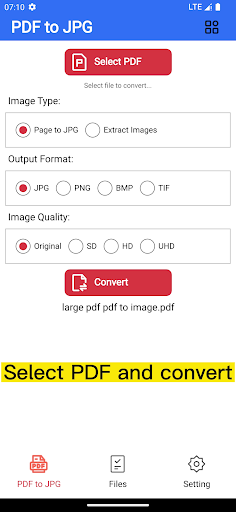
Easily extract images from PDF files or convert PDF pages to high-quality JPG or PNG. Fast, secure, and completely offline — your files never leave your device.
Key Features
• Extract original images embedded in PDF files
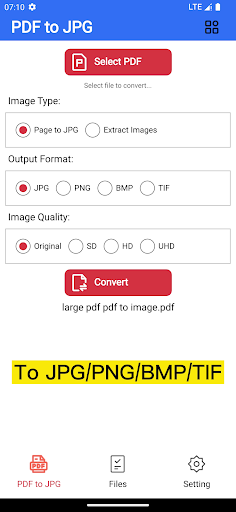
• Convert each PDF page to JPG, PNG, BMP, or TIF
• High-quality output with original resolution
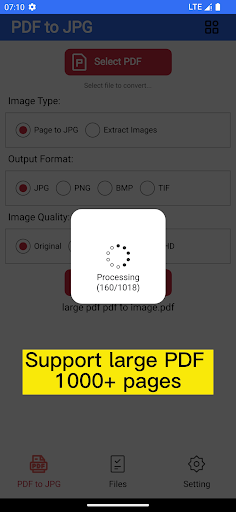
• Batch convert all pages at once
• Supports large PDF files (up to 200MB, 1000+ pages)
• Save all images into one organized folder
• Export images to your gallery with one tap
• Works completely offline – no internet required
• Fast and stable processing
Extract Images from PDF
Use Image Extraction Mode to pull original images directly from the PDF without quality loss.
Perfect for:
Photos inside PDF documents
Design assets
Reports and presentations
Convert PDF Pages to Images
Convert each page into an image for easy sharing, editing, or printing.
Great for:
Sending documents as pictures
Social media sharing
Archiving or editing pages
Why Choose This App?
• 100% offline and secure
• No file upload or cloud processing
• Keeps original image quality
• Simple, clean, and easy to use
If you also need Image to PDF, check our other apps on the store.