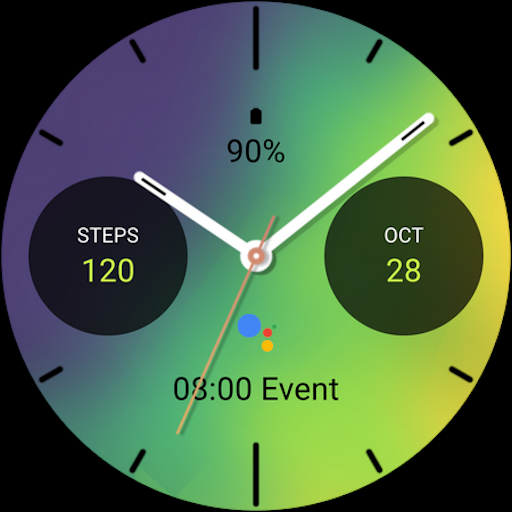
Energetic Fit Watch Face

ASO Keyword Dashboard
Tracking 1 keywords for Energetic Fit Watch Face in Google Play
Energetic Fit Watch Face tracks 1 keyword (1 keyword ranks; full coverage across the tracked set). Key metrics: 100% top-10 coverage, opportunity 72.0, difficulty 35.1, best rank 9.
Stylish sporty analog watch face for Wear OS
Tracked keywords
1
1 ranked • 0 not ranking yet
Top 10 coverage
100%
Best rank 9 • Latest leader 9
Avg opportunity
72.0
Top keyword: energetic
Avg difficulty
35.1
Lower scores indicate easier wins
Opportunity leaders
- 54.3
energetic
Opportunity: 72.0 • Difficulty: 35.1 • Rank 9
Competitors: 126
Unranked opportunities
Every tracked keyword currently has some ranking data.
High competition keywords
energetic
Total apps: 2,568 • Major competitors: 126
Latest rank: 9 • Difficulty: 35.1
All tracked keywords
Includes opportunity, difficulty, rankings and competitor benchmarks
| Major Competitors | |||||||
|---|---|---|---|---|---|---|---|
| energetic | 72 | 100 | 35 | 54 2,568 competing apps Median installs: 2,288 Avg rating: 4.1 | 9 | 9 | 126 major competitor apps |
App Description
Stylish sporty analog watch face for Wear OS
Main Features:
- Easy to read analog time display
- Sweeping second watch hand movement
- Battery level status
- Date
- Customizable widget complications: Add steps, heart rate, weather, and more.
- Customizable app shortcut
- Always on display mode for low-power visibility
- Built for Wear OS smartwatches
Custom Widget Complications:
- SHORT_TEXT complication
- SMALL_IMAGE complication
- ICON complication
Installation:
- Make sure the watch device is connected to the phone
- On the Play Store, select your watch device from the install drop-down button. Then tap install.
- After a few minutes the watch face will installed on watch device
- Alternatively, you can install the watch face directly from on-watch Play Store by searching this watch face name between quotation marks.
Note:
Widget complications shown in the application description are for promotional only. Custom widget complications data depends on your installed applications and watch manufacturer software. The companion app is only to make it easier to find and install the watch face on your Wear OS watch device.