Merge PDF: Combine PDF Files

Merge PDF: Combine PDF Files Summary
Merge PDF: Combine PDF Files is a ad-supported, with in-app purchases Android app in Productivity by Tech Boeing. Released in Jan 2022 (4 years ago). It has about 482.2K+ installs and 8.1K ratings with a 4.61★ (excellent) average. Based on AppGoblin estimates, it reaches roughly 26.7K monthly active users and generates around $<10K monthly revenue (53% IAP / 47% ads). Store metadata: updated Mar 9, 2026.
Recent activity: 1.6K installs this week (13.8K over 4 weeks) showing steady growth , and 37 new ratings this week View trends →
Store info: Last updated on Google Play on Mar 9, 2026 .
4.61★
Ratings: 8.1K
Screenshots



App Description
Combine PDF, split, scan, compress & convert PDF files with offline merge PDF
All-in-One PDF Tools – Merge, Split, Compress, Convert & Edit PDFs Offline and Free
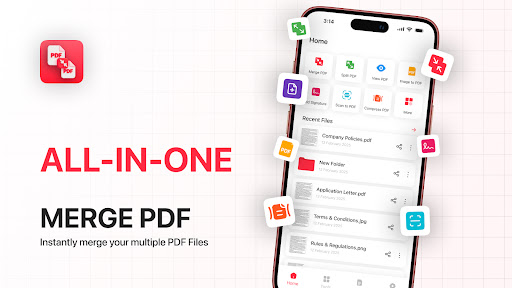
Need a quick way to merge PDF files offline? This PDF Merger & Combiner app gives you everything you need to manage documents fast. Merge PDF files, split pages, combine pdf, scan to PDF, compress documents, convert images to PDF, and edit files—right from your phone.
Whether you're a student organizing notes, a professional handling documents, or someone who needs reliable offline PDF tools, this combine pdf app is your complete PDF manager.
📌 Top PDF Tools Included
⭐ Merge PDF Files (PDF Merger & Combiner)
Combine multiple PDF documents, notes, or scanned pages into a single organized file. Perfect for assignments, reports, and office documents.
⭐ Split PDF & Extract Pages
Use the PDF splitter to divide large PDFs or extract selected pages. Manage content easily with precise page selection.
⭐ Combine PDF Files (PDF Combiner Tool)
Easily combine multiple PDF files into one clean and well-organized document. Merge study notes, invoices, scanned pages, or office files in seconds—perfect for students, professionals, and daily document management.
⭐ Scan to PDF (PDF Scanner)
Turn your camera into a fast document scanner. Capture clean images and convert them into high-quality PDFs instantly.
⭐ PDF Viewer & Reader
Open, read, zoom, and swipe through documents smoothly with the built-in PDF reader.
⭐ Image to PDF & PDF to Image
Convert JPG/PNG to PDF or turn PDF pages into images in one tap. Ideal for sharing or archiving.
⭐ Compress PDF (Reduce File Size)
Shrink large documents without losing quality. Share or upload PDFs faster and save storage space.
⭐ Lock & Unlock PDF
Add passwords to protect private files or remove security from encrypted PDFs.
⭐ Add Signatures & Text
Digitally sign PDF files, fill forms, or add text anywhere inside your document.
⭐ Add Watermark, Stamps & Page Numbers
Apply branding, insert page numbers, and add official stamps for a professional finish.
⭐ Organize PDF Pages
Rotate, reorder, or delete PDF pages effortlessly. Create the perfect document layout.
⭐ OCR – Extract Text from Images
Turn images or scanned pages into editable text using OCR technology.
⭐ Recent Files History
Quickly access your recently opened or edited documents with the built-in PDF history manager.
🔐 Why Choose This PDF Combiner App?
✔ Completely Free – No subscriptions, no paywalls
✔ Works Offline – Tools available anytime
✔ Unlimited Merge & Split – No file count limits
✔ Fast & Lightweight – Smooth performance, small app size
✔ All-in-One PDF Editor – Merge, combine, convert, compress & edit in one place
🎯 Perfect For
⮞ Students merging scanned notes or assignments
⮞ Professionals managing contracts, invoices & reports
⮞ Teachers organizing study materials
⮞ Freelancers sending or combine client documents
⮞ Anyone needing an offline PDF manager with powerful tools
Download Merge PDF – PDF Merger & combine pdf Tools now and manage, merge, edit, and convert all your PDF files with the fastest offline PDF toolkit.
🔒 Privacy Note
All files are processed locally on your device. Nothing is uploaded or stored. Your PDFs are 100% safe and private.