
Call-Timer

Call-Timer
Call-Timer
Developer: CTSOFT
Category: Communication
3.2M installs
19K ratings
+1.2K weekly installs
trend steady
+5.9K monthly installs
trend steady

Call-Timer Summary

Call-Timer is a ad-supported Android app in the Communication category, developed by CTSOFT. First released 14 years ago(Oct 2011), the app has accumulated 3.2M+ total installs and 19K ratings with a 3.37★ (mixed) average rating.

Recent activity: 1.2K installs this week (5.9K over 4 weeks) showing below average growth , and -3 new ratings this week (-21 over 4 weeks) with stable momentum. View trends →

Data tracking: SDKs and third-party integrations were last analyzed on Nov 30, 2025. The app's network data flows (API traffic to/from the app and its SDKs) were last crawled on Aug 30, 2025.

Store info: Last updated on Google Play on Nov 18, 2024 (version 2103198).


3.37★

Ratings: 19K

5★
4★
3★
2★
1★

Screenshots

App screenshot
App screenshot
App screenshot
App screenshot

App Description

Call-Timer can make phone calls automatically hang up.

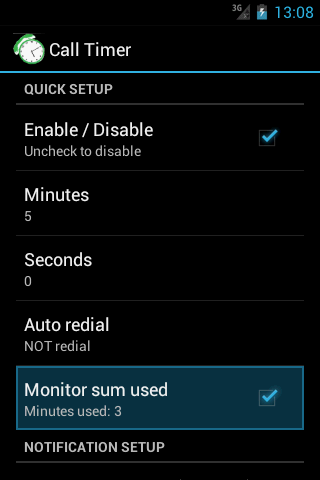
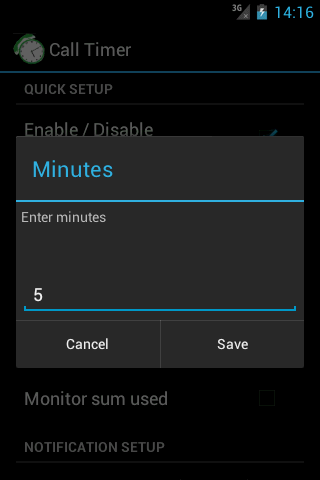
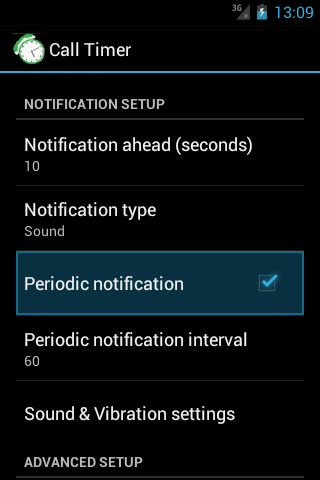
Call-Timer can make your phone call automatically hang up when call reaches a configurable predefined time.. Why it is needed? Many network carriers or telecom services offer free calls for first 5, 10, 20, xx minutes. If you don’t want to monitoring the elapsed time and manually hang-up the call while talking, then you can have this application do it for you. ☆ <b>Has been choosen as featured product on Google Play Store many times.</b> ☆ <b>More than 2 milions downloads</b> ☆ <b>Support Android 12, 11, 10, 9.0, 8.1, 8.0, 7.1, 7.0, 6.1, 6.0 and below</b> <b>FEATURES:</b> • Auto hang up: user sets time limit once the application will time calls and automatically hang up them for you. This is applied for both outgoing calls and incoming calls (depend on configuration). • Periodic notifications: This is useful for people who are charged per minute, per 30 seconds. per xx seconds (depend on configuration). • Specific numbers (work in all Android versions except Android 9): Allow you to specify individual phone numbers to apply limit of talk time to. You can add phone number to specific number list either by picking up contact from contacts list or by adding phone number prefixes, which are common beginning digits of the phone numbers that you want to add to the specific number list. Please note that when you choose to use “Specific numbers” feature, Call Timer will ONLY be activated for those number on th configured specific list. • Multi-call support. Please read more at http://call-timer.blogspot.com/2013/01/multi-call-feature.html • Auto redial (except Android 9) • To be notified before hang-up (through sound or vibration) • Temporarily disable call timer for current call. • Exclude contacts from timer (except Android 9): If you don't want call timer to have effect on certain contacts or prefixes (for example, toll free numbers), you could do that though "Exclude numbers". • Widget for fast dialing frequently contacted numbers. <b>NOTE on USAGE:</b> OPEN THE APP AT LEAST ONCE AFTER INSTALL. <b>NOTE on specific phone models</b> <ul> <li><strong>Xaomi phones: </strong> <em> + Open <strong>Settings</strong> app. Tap <strong>Installed Apps</strong> (or Apps or App Management) → <strong>Permissions → Autostart</strong>. Next, switch on <strong>Call Timer </strong>item.