Blind Accessibility Keyboard

Blind Accessibility Keyboard Summary
Blind Accessibility Keyboard is a with in-app purchases Android app in Personalization by Philip Heyse. Released in Jan 2015 (11 years ago). It has about 3.2K+ installs and 144 ratings with a 3.11★ (mixed) average. Based on AppGoblin estimates, it reaches roughly 18 monthly active users and generates around $<10K monthly revenue (100% IAP / 0% ads). Store metadata: updated Aug 4, 2018.
Recent activity: 1.00 installs this week (3.00 over 4 weeks) showing steady growth View trends →
Store info: Last updated on Google Play on Aug 4, 2018 .
3.11★
Ratings: 144
Screenshots


App Description
The keyboard for blind and visually impaired people.
The "Blind Accesibility Keyboard" is an advanced keyboard developed for blind or visually impaired people.
The app contains layouts for these countries/languages:
- Arabic
- Bulgaria
- Cech
- Croatia
- Denmark
- France
- Germany
- Greece
- India
- Israel
- Italia
- Korea
- Norway (will be included in the next update)
- Persic
- Poland
- Portugal
- Romania
- Russia
- Spain
- Sweden
- Switzerland (deutsch, francais and italiano)
- USA
- UK
- Turkey (f and querty)
Layouts Types
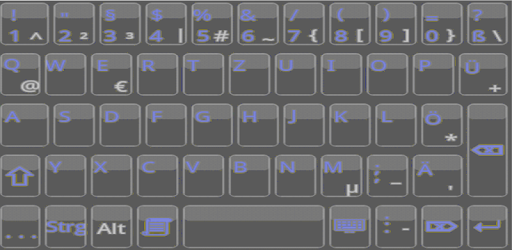
- Layout with all keys and number keys on the first screen without long press for numbers or special characters
- Minimal layout with few large keys
- Full PC layout
- Full PC layout with num pad
- Split keyboard mode for large tablets in landscape view so that each key can be reached easily
Typing Modes
The typing modes work in these Android accessiblity modes:
- Talkback
- Talkback and Explore
- disabled
Availabe keybard modes for those three accessibility modes:
- Lift to type
- Double click to type
Special keys
- Ctrl, Alt, F1-F12, Esc, Tab, Page up/down, Home/End, Print, Pause
- cursor keys
- backward and forward delete
- cut, copy and paste
Look
- choose custom keyboard color (16 million different colors)
- choose custom background: any image on your device
- choose one of 13 prepared looks
- hidden suggestion area for more keyboard space
- split keyboard mode for large tables for realxed typing
Typing support
- add custom templates like “brjs” for “Best regards, John Smith”
- buttons for user defined text to e.g. type your mail address with 1 button
- auto-correction (comming soon)
- option to auto-capitalize when a new sentance starts
Clipboard history
The Clipboard history contains the last clipboard entries.
Keyboard Editor
Create or adjust your own keyboard with a build-in editor (not accessible) or by editing XML files (advanced users).
Translations
- Arabic
- Bulgarian
- Danish
- English (US)
- French
- German
- Italian
- Polish
- Portuguese (Brazil), comming soon
- Portuguese (Portulal)
- Russian
- Spanish
- Turkish
For more information please visit:
https://accessibilitykeyboard.wordpress.com/