RecForge II - Audio Recorder

RecForge II - Audio Recorder Summary
RecForge II - Audio Recorder is a ad-supported Android app in Music And Audio by Dje073. Released in Jun 2013 (12 years ago). It has about 5.6M+ installs and 17.9K ratings with a 2.93★ (poor) average. Based on AppGoblin estimates, it reaches roughly 243.6K monthly active users and generates around $<10K monthly revenue (0% IAP / 100% ads). Store metadata: updated Aug 16, 2025.
Recent activity: 3.4K installs this week (16.1K over 4 weeks) showing steady growth , and 3.00 new ratings this week View trends →
Store info: Last updated on Google Play on Aug 16, 2025 .
2.93★
Ratings: 17.9K
Screenshots
App Description
Record, edit and share sound, voice dictation, note, rehearsal or meeting
RecForge II is an Android dictaphone and editor to record, convert, play, edit, and share your recordings in most popular audio codecs
Main features :
• Highly customizable recorder (codec, samplerate, bitrate, mono / stereo)
• Use external microphone (RODE, iRig, ...)
• Disable AGC (Automatic Gain Control)
• Manual gain adjustment
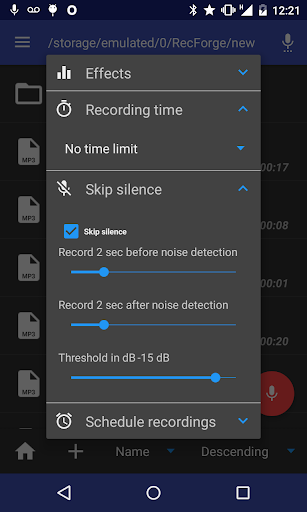
• Skip silences
• extract sound stream from videos
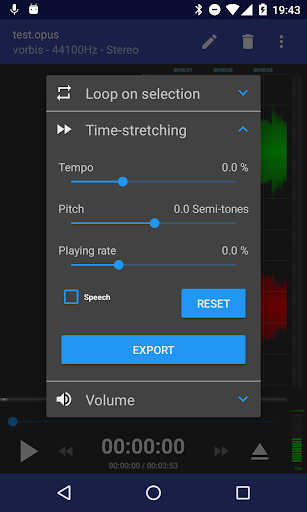
• Music speed changer : Adjust tempo, pitch, playing rate
• Loop on playing selection
Recording :
• Recorder for sound, voice, note, dictation, rehearsal, meeting, lecture, music learning, EVP, studio recording, ... in mp3, m4a, ogg, wma, opus, flac, speex and wav codec
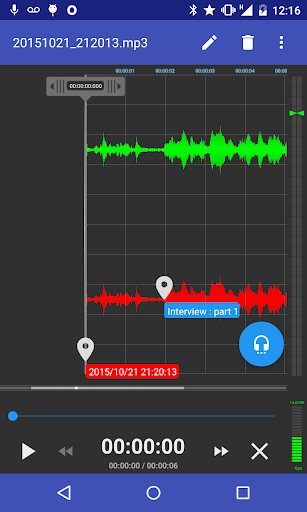
• Real-time monitoring (live audio spectrum analyzer)
• Use front, rear or external microphone (TRRS adapter, RODE SC6, iRig Mic, iRig Cast, iRig Pre or RODE smartLav)
• Skip silences
• Disable AGC (Automatic Gain Control) for better quality
• Record in background
Playing :
• Loop for memorization, actor lines, bible memory, recitations, ...
• Visualize stereo audio signal (audio spectrum analyzer)
• Music speed changer : Time stretching with playing rate, pitch and tempo adjustment (to practice an instrument or transcribe lecture, ...)
Editing :
• Convert your dictation to mp3, m4a, ogg, wma, opus, flac, speex and wav with all possible settings : samplerate, bitrate, mono / stereo, ...
• Extract sound stream from video
• Edit your recordings (cut or crop to keep only interesting parts – concatenate or merge to make basic arrangements) for ringtones, commentary, ...
• Tag your recording and edit metadata
• Change music speed (tempo, pitch and rate) and save as a new file
Others :
• Play, record, pause / resume, loop, convert, edit, concatenate, merge, time strecth, adjust pitch, tempo and playing rate
• Send your dictation to cloud storage services or share your recordings with your friends by mail, SoundCloud, WhatsApp ...
• Manage and organize your files with folders (rename, delete, copy, move)
• Sort recordings by date, name and size
• Material design UI
Supported audio formats :
• samplerate from 8 to 48kHz
• encoding codec : mp3, m4a, ogg, wma, opus, flac, speex and wav
• decoding codec : mp3,