Headunit Reloaded Emulator HUR


179.6K installs
4.1K ratings
+465
weekly installs
trend steady
+2.8K
monthly installs
trend steady
Headunit Reloaded Emulator HUR Summary
Headunit Reloaded Emulator HUR is a Android app in the Maps And Navigation category, developed by AAWireless. First released 9 years ago(Aug 2016), the app has accumulated 179.6K+ total installs and 4.1K ratings with a 2.33★ (poor) average rating.
Recent activity: 465 installs this week (2.8K over 4 weeks) showing below average growth , and 4 new ratings this week (38 over 4 weeks) with slowing momentum. View trends →
Store info: Last updated on Google Play on Aug 19, 2016 .
2.33★
Ratings: 4.1K
Screenshots

App Description
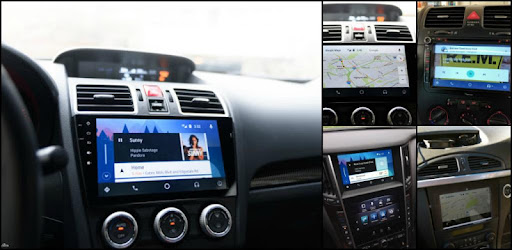
Turn your tablet or Android powered unit into a full blow Android Auto headunit.
Headunit Receiver emulator for Android Auto.
How to use the app?
USB Mode
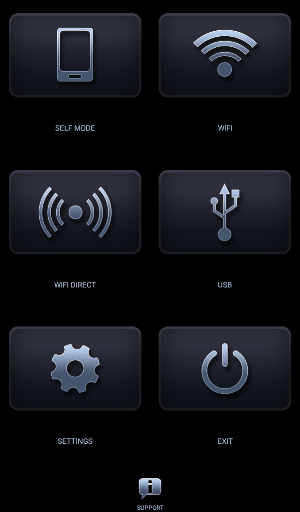
- Plug in the USB to your device (in case of tablet use an OTG cable), when prompted make sure you allow HUR to be the default app for the action and you check the always box.
- If you are running the app on a device with Android 7.0 or higher, you might need to pull down the notification bar and select the connected USB device before the app starts (this is device dependent)
Wifi
- Install WiFi Launcher app on the phone!
- In WiFi Launcher select the cars BT, so app starts automatically
- Enable hotspot option in WiFi Launcher, connect your car's unit to the phones hotspot and open HeadUnit Reloaded (you can reverse the hotspot / client roles as well if you wish)
Self Mode (when Android Auto and HUR are running on the same device)
- Open HUR and press Self-mode (make sure you have Android Auto installed on the device you are trying to achieve this)
FAQ / Troubleshoot
All I get is a black screen
- If you are using an Android powered headunit (Joying, Xtrons, etc) look for a setting on your device which allows Video Playback during drive
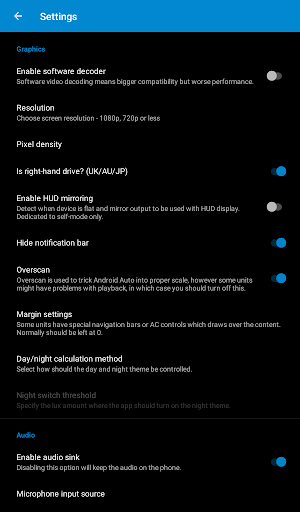
- Try changing HUR settings and enable Software decoding
Compatible with: Joying, Eonon, Grom Vline, Xtrons, PX5 and PX3 units, A-Sure, RK3188 units, RK3066 units, Avin and other Android powered head units.
More FAQ, including hardware key support, intent support and others as well troubleshooting can be found: https://forum.xda-developers.com/general/paid-software/android-4-1-headunit-reloaded-android-t3432348
If you have any difficulties using the app, or you any support with it, you are always welcome to contact me.
The original idea was developed by the late MICHAEL READ.