OBD2 Auto Scaner Olivia Drive


OBD2 Auto Scaner Olivia Drive Summary
OBD2 Auto Scaner Olivia Drive is a ad-supported, with in-app purchases Android app in the Auto And Vehicles category, developed by Vasilenok Pavel. First released 10 years ago(Oct 2015), the app has accumulated 1.4M+ total installs and 9.9K ratings with a 3.74★ (average) average rating.
Recent activity: 452 installs this week (2.1K over 4 weeks) showing steady growth , and 4.00 new ratings this week View trends →
Data tracking: SDKs and third-party integrations were last analyzed on Feb 9, 2026. The app's network data flows (API traffic to/from the app and its SDKs) were last crawled on Jun 19, 2025.
Store info: Last updated on Google Play on Apr 27, 2025 (version 383).
OBD2 Auto Scaner Olivia Drive was last scanned for SDKs 2026-02-09. Below is the overview of third party companies detected in the app. The full list of raw SDKs, app permissions and unknown SDKs is available here.
 AppMetrica
 Yandex Metrica
 BIGO Ads
 VK
VK Google
 ironSource
 Yandex
 AdMob
AdMob Unity
Unity Kotlin
 Square
 Firebase
3.74★
Ratings: 9.9K
Screenshots


App Description
Diagnostic car scanner Olivia Drive: fuel consumption, error code reading
This application is a diagnostic scanner for vehicles operating via the OBDII interface. It displays the following data:
• Instantaneous fuel consumption of the vehicle;
• Fuel consumption per 100 km/mile;
• Fuel used during the trip;
• Distance traveled during the trip;
• Engine RPM;
• Vehicle speed;
• Engine temperature;
• Onboard voltage;
• Average speed;
• Trip cost;
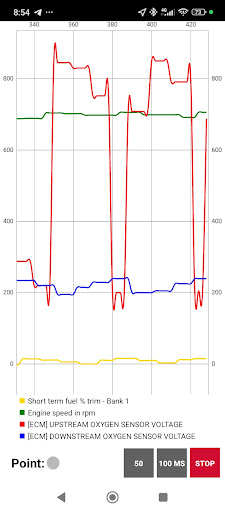
Additionally, the application can read and clear error codes, maintain a trip log, support custom sensor profiles, generate graphs, perform an acceleration test, offer a manual terminal, HUD mode, and a floating widget overlay on the screen.
Key advantages of the application:
• Calculation of vehicle fuel consumption;
• Ability to run in the background with a minimize option;
• Floating window when the application is minimized;
• Fast connection;
To use the application, you must complete at least three steps:
• Pair your OBDII ELM327 adapter (Bluetooth | Wi-Fi | USB) in the Android system, then select the connection method in the app settings;
• Specify your vehicle’s engine displacement;
• Select your vehicle’s fuel type: gasoline, diesel, or gas;
After that, you can start connecting!
The application manual in PDF is available at this link: https://goo.gl/35LSGs