Passport Photo & ID Print


Passport Photo & ID Print Summary
Passport Photo & ID Print is a ad-supported Android app in the Productivity category, developed by AZ 9 Cut (Free & No Root). First released 10 months ago(Jan 2025), the app has accumulated 1.6K+ total installs
Recent activity: 2 installs this week (2 over 4 weeks) showing below average growth View trends →
Data tracking: SDKs and third-party integrations were last analyzed on Dec 14, 2025. The app's network data flows (API traffic to/from the app and its SDKs) were last crawled on Dec 14, 2025.
Store info: Last updated on Google Play on Jan 28, 2025 (version 14100).
Passport Photo & ID Print was last scanned for SDKs 2025-12-14. Below is the overview of third party companies detected in the app. The full list of raw SDKs, app permissions and unknown SDKs is available here.
 Kotlin
 Unity
Unity ByteDance
 VK
VK Google
 Adjust
 Firebase
 Square
0★
Ratings:
Screenshots
App Description
Create, customize, and print ID photos easily — anytime, anywhere!
ID Photo for Passports & Cards
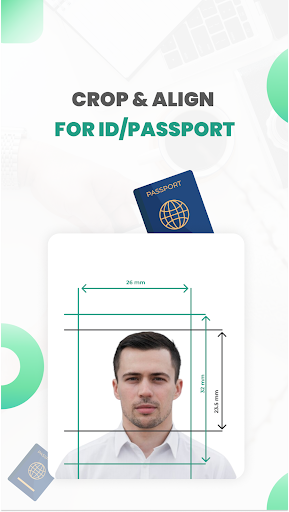
Create professional ID photos for passports, visas, driver’s licenses, my number and other official documents right from your smartphone! With ID Photo for Passports & Cards, you can easily transform any photo taken with your phone into a perfectly formatted ID photo. Whether you need a standard size or a custom dimension, this app has you covered.
Key Features:
🔥Create ID Photos from Smartphone Images:
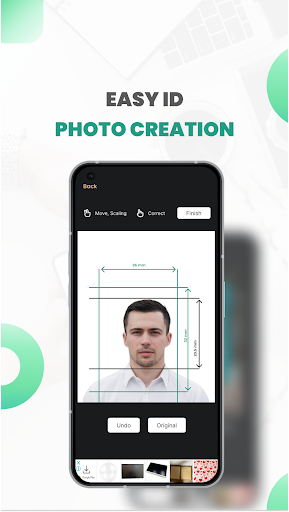
Turn any photo into a high-quality ID photo in just a few taps. No professional camera or studio required!
🔥Customizable Sizes:
Choose from a wide range of standard ID photo sizes, including:
- 51 × 51mm (2 x 2 inches)
- 25 × 25mm (1 x 1 inches)
- 45 × 35mm
- 50 × 35mm (2 inches)
- 48 × 33mm
- 35 × 25mm (1 inch)
- 45 × 45mm
- 40 × 30mm
- Or specify your own custom dimensions for unique requirements.
🔥Multiple Photos on a Single Print:
Save time and paper by arranging multiple ID photos on one 4x6 inch (101.6mm x 152.4mm) print. Mix and match different sizes if needed.
🔥Home Printing Made Easy:
Print your ID photos at home using any printer compatible with smartphones or digital cameras. The app saves photos in JPEG format, ensuring compatibility with most devices.
🔥Unlimited Retakes:
Perfect for capturing the right shot, especially for children or anyone who needs multiple attempts.
🔥Black & White Conversion:
Convert color photos to grayscale (black and white) for ID photos that meet specific requirements.
🔥Save and Share:
Save individual photo data for future use or share directly with printing services.
🔥User-Friendly Interface:
Simple and intuitive design makes it easy for anyone to create ID photos without technical skills.
🔥Printing Guide in Japanese:
Detailed instructions in Japanese to help you print your ID photos correctly.
Why Choose ID Photo for Passports & Cards?
✔️Cost-Effective: No need to visit a photo studio or pay for professional services.
✔️Convenient: Create and print ID photos anytime, anywhere.
✔️Flexible: Supports a variety of sizes and formats to meet global standards.
✔️Time-Saving: Quickly generate ID photos in minutes.
Perfect For:
- Passports, visas, and immigration documents
- Driver’s licenses and national ID cards
- School or workplace IDs
- My number
- Any official document requiring a photo
Download ID Photo for Passports & Cards today and experience the easiest way to create professional ID photos from the comfort of your home!
✅Compatible with most smartphones and printers.
🫡For questions or feedback, contact us at 2kara.lab@gmail.com