Snipping tool - Pro

Snipping tool - Pro Summary
Snipping tool - Pro is a mobile Android app in Tools by Incredible Apps Inc. Released in Nov 2017 (8 years ago). It has about 1.2K+ installs and 49 ratings with a 1.39★ (poor) average. Based on AppGoblin estimates, it reaches roughly 63 monthly active users . Store metadata: updated Nov 4, 2017.
Recent activity: 5.00 installs this week (30 over 4 weeks) showing above average growth View trends →
Store info: Last updated on Google Play on Nov 4, 2017 .
1.39★
Ratings: 49
Screenshots

App Description
Capture desired portion of screen & Share as screenshot
Snipping Tool - Capture screenshot & share image PRO
Introducing first app in Android to capture desired part of screen and share generated image.You can take a screenshot quickly without pressing any hardware button, just one touch for screenshot.
Snipping Tool lets you select which portion of screen you want to take as screen shot.No need to crop or blur your non-essential part of screen,Take screenshot of only highlighted portion of screen and share on the single tap to share image.
HIGHLIGHTS
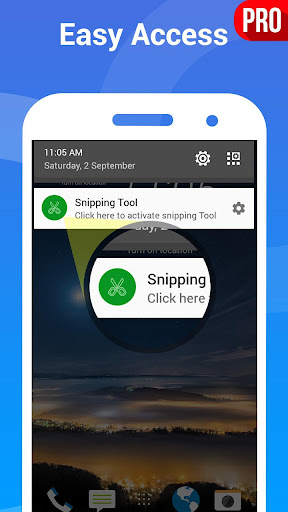
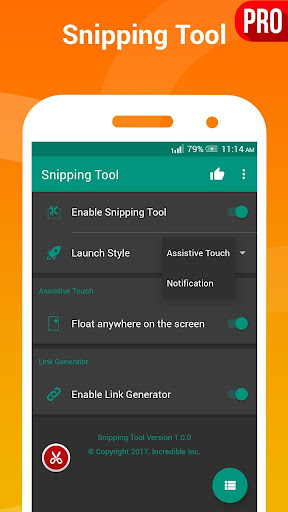
Quick access - Tap Assistive touch (like Facebook chathead) or accessible from notification.
Snip Tool- Use finger to select desired screen portion to take screen shot
Share Link - App will generate a image of taken screenshot.
Photo Share - You can also share taken snipped photo.
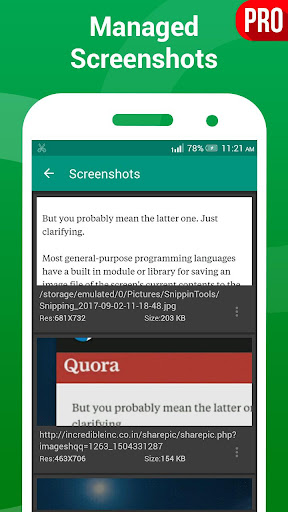
Browse History- You can view and manage all taken screenshot with generated image for later use.
No Root - This app doesn’t need root access.
👑 PREMIUM FEATURE
No Watermark- No Watermark on captured snapshots
No Ads- There will no ads on premium version
HD Images- Generate link with HD Screenshots
When you turn the Snipping service ON, a sniphead will appear on your screen that allows you to snip any portion of your screen with just a tap. Once you tap it, the current screen selection mode will be open ,Use your fingers to select portion of screen and release your finger when done. That's about it. You're all set and good to share the piece that you just snipped with anyone as image.
If you have a suggestion, a question or you want to report a bug please use the provided feedback function or contact us directly via email.