Lite Tool For Video Editing


Lite Tool For Video Editing Summary
Lite Tool For Video Editing is a mobile Android app in Video Players by Incredible Apps Inc. Released in Dec 2019 (6 years ago). It has about 15.7K+ installs and 87 ratings with a 3.60★ (average) average. Based on AppGoblin estimates, it reaches roughly 1.1K monthly active users . Store metadata: updated Sep 19, 2023.
Recent activity: 119 installs this week (375 over 4 weeks) showing below average growth View trends →
Store info: Last updated on Google Play on Sep 19, 2023 .
3.6★
Ratings: 87
Screenshots



App Description
Video editor tool with slow motion, fast trimming, reverse video and more...
This is an awesome video editor tool with slow motion, fast trimming, reverse video and more features, to help you to make great video show in one minute!
You can add music, voice over to the video, and you can trim,split your video.
You create make slow motion video show easily, just change the video speed, then a amazing slow motion video show will be ready!
Video editor tool Offers:
- Crop Video : Crop part of the video
- Cut Video : Trim part of the video or audio stream
- Mute Video : Remove audio stream from video
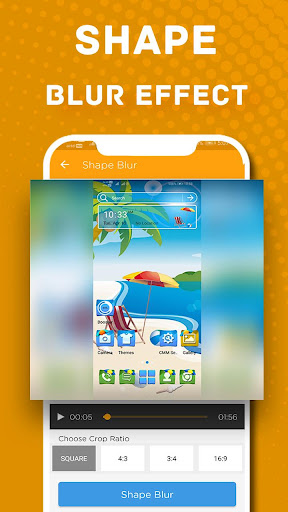
- Blur Video : Blur video fill blank part of video with blur
- Boost Volume : Boost volume of any video
- Change Format : Convert all your Mp4, Flv, Avi, Mkv, Mp3, Flac, Wma, Ogg, M4a, Wav... files. All major formats supported.
- Add/Change Music : You can add or remove any music or mp3 into your videos
- Compress : Compress video to save space or to easily send it over limited internet bandwidth. Smaller size and keep quality!
- Reverse : Reverse makes your videos, which are shared on social network such as Youtube, Facebook, Instagram, Twitter, etc. become more funny and attract more viewers
- Speed Video : Do video slow motion or fast motion (2x, 4x, 6x, 8x, 10x)
12. Video Info
[SUPPORTED FORMATS]
Video:H.263 (.3GP, .MP4 ), H.264 AVC (.3GP, .MP4, .MKV), MPEG-4 SP (.3GP, MP4, MKV) , H.265 (.MP4, .MKV ), VP8 (.MKV, Webm), VP9 (.MKV, Webm)
Audio:WAV, MP3, MP4, M4A, AAC
FAQ:
** Conversion speed depends on your mobile specifications.
** This app uses FFMPEG application for the encoding process