Examica for Teachers


Examica for Teachers Summary
Examica for Teachers is a with in-app purchases Android app in Education by Examica Sp. z o.o.. Released in Sep 2021 (4 years ago). It has about 60.4K+ installs and 432 ratings with a 4.68★ (excellent) average. Based on AppGoblin estimates, it reaches roughly 2.1K monthly active users and generates around $<10K monthly revenue (100% IAP / 0% ads). Store metadata: updated Mar 24, 2026, version 60.
Recent activity: 1.1K installs this week (2K over 4 weeks) showing exceptional growth , and 2.00 new ratings this week View trends →
Data tracking: SDKs and third-party integrations were last analyzed on Apr 5, 2026. The app's network data flows (API traffic to/from the app and its SDKs) were last crawled on Nov 1, 2025.
Store info: Last updated on Google Play on Mar 24, 2026 (version 60).
Examica for Teachers was last scanned for SDKs 2026-04-05. Below is the overview of third party companies detected in the app. The full list of raw SDKs, app permissions and unknown SDKs is available here.
 Facebook
 Google
 Flutter
 Firebase
 Amplitude
4.68★
Ratings: 432
Screenshots

App Description
Grade PAPER tests with your camera or conduct them ONLINE with a few clicks
Examica saves you time by grading:
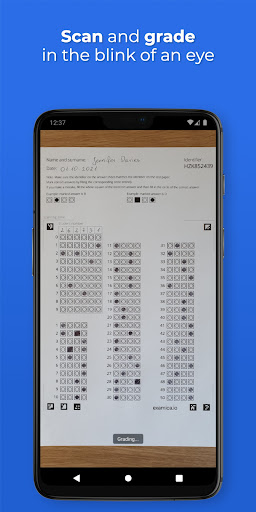
• PAPER assessments - Simply point your camera at a student’s answer sheet to grade it.
• ONLINE assessments - Send your students a link with unique access codes and wait for the results.
FEATURES:
• Rapidly grade paper assessments - 30-person class in less than 60 seconds
• Conduct all your assessments in a hybrid way - paper, online or both at the same time
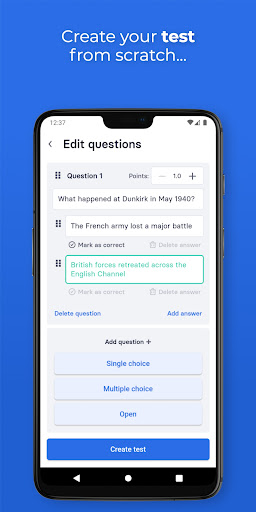
• Supports multiple choice and open questions
• Allows to correct a wrongly marked answer by painting over the square
• Send customized result reports to students with just 1 click
• Generate multiple variants of your assessments with just 1 click
• Keep your assessments in one place
• Print assessments directly from your device
• Analyze meaningful statistics - Which questions students struggled with the most? What were the most common answers?
• All features available both in the mobile app and on the web portal (www.examica.io)
HOW IT WORKS:
• Create an assessment using one of the folling methods:
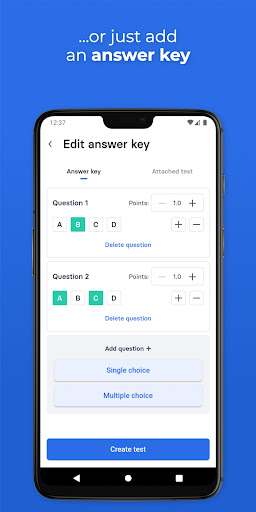
◦ Upload your exisitng assessment and fill in the answer key
◦ Create a new assessment using built-in editor
• Choose one of the ways of conducting the assessment
◦ PAPER
• Print the assessment together with the answer sheet
• Hand out the assessments to your students
• Point your camera at students' answer sheets to grade them
• After grading all papers, send results to your students with just 1 click
◦ ONLINE
• Send a link with unique access codes to your students
• Students will be able to take the assessment without creating any account
• Students will receive a result report as soon as the assessment is completed
• View meaningful statistics:
◦ Which questions students struggled with the most?
◦ What were the most common answers?
◦ and much more...
FOR WHOM & FOR WHAT:
• For teachers and university professors
• For all subject types and classes
• For middle school, high school, college and university levels
• For exams, tests, quizzes, homework, assignments, exit tickets or any other type of assessments
• For both online and paper-based assessments
FEATURE REQUESTS:
We believe that our users know best what they need. That is why we are open to suggestions.
Just write to us using the contact form or d