Tesla Display


Tesla Display Summary
Tesla Display is a ad-supported, with in-app purchases Android app in the Tools category, developed by Super Ratel. First released 3 years ago(Jul 2022), the app has accumulated 34.6K+ total installs and 137 ratings with a 2.27★ (poor) average rating.
Recent activity: 154 installs this week (679 over 4 weeks) showing below average growth , and 1.00 new ratings this week (3.00 over 4 weeks) with stable momentum. View trends →
Store info: Last updated on Google Play on Jan 11, 2026 .
2.27★
Ratings: 137
Screenshots

App Description
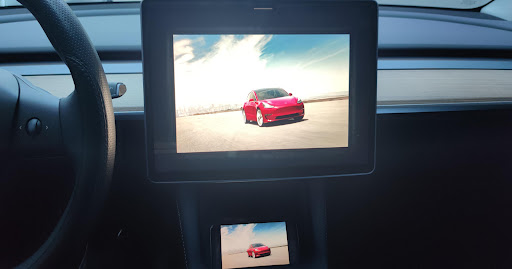
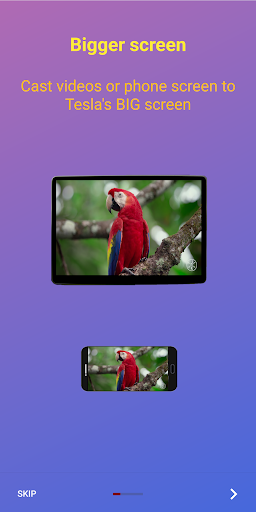
Cast video or mirror phone screen to Tesla's screen, verified on Model 3/Y/S/X
Key features:
1. Free
2. Can play video even in D-Mode
3. Can control the phone directly on Tesla's screen
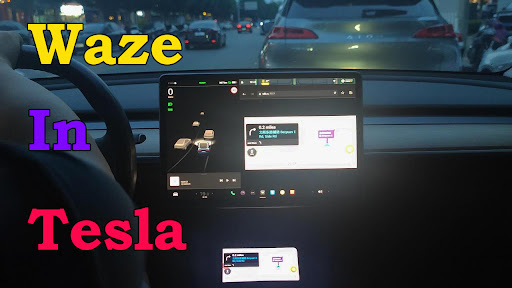
4. Can cast Waze, Google Map, Here WeGo, MAPS.ME to Tesla's screen for navigation
5. Can mirror various video apps, such as Youtube, Youtube Kids, Tiktok, Twitch, DailyMotion, PBS, PBS Kids, TED Talks, Khan Academy, Plex, Rumble, Vimeo, Zeus, Crunchyroll, Vix, Tubi, CBS, Paramount+, Pluto.tv, etc.
6. Can manipulate music or podcast apps, such as Youtube Music, Spotify, SiriusXM, Audiable, etc.
7. Support video links from Youtube, Tiktok, ESPN, TED, CBC, PBS...
8. No extra internet traffic
9. Support full-screen mode with audio
Those features have been verified on Tesla Model 3, Model Y, Model S, and Model X.
Mirror your small mobile screen to Tesla's big display.
1. Enable the wifi hotspot of your mobile phone
2. Click the start button of this app
3. Connect to the wifi hotspot in your Tesla car
4. Access http://td7.cc (or http://7.7.7.7:7777 based on the settings) via Tesla's web browser, and you can see the screencast.
Tesla Display Help and Discussion Forum:
https://groups.google.com/g/tesla-display
The app requires VpnService to work normally.
Why does this Tesla Display App need the VpnService?
The main reason is that all of the normal private LAN IP addresses(such as 10.*.*.*, 172.16.0.0-172.31.255.255, 192.168.*.*) are reserved for communication with internal parts. As a result, the phone has to be accessed via virtual public IP addresses.
The VPN tunnel will not be connected to any public server. It is created to make connection between the Android device and the Tesla vehicle.
Is there any privacy issue with it?
On the Android device, there is a web server, which is not accessible for public internet. Only devices connected to user's WiFi hotspot(eg. user's Tesla vehicle) can access the web server. There is no privacy issue with it.
The Tesla Display app does not redirect or manipulate user traffic from other apps.
From 4.01 version, this TeslaDisplay app adds a "Remote Control" feature that can control your phone directly on Tesla's touchscreen. In order to use this feature, you need to grant this app Accessibility permission. Without this permission, the "Remote Control" feature will not be available.
This app uses the dispatchGesture and performGlobalAction interfaces of the AccessibilityService