Spck Editor for NodeJS


Spck Editor for NodeJS Summary
Spck Editor for NodeJS is a with in-app purchases Android app in Productivity by Leaf Stack Studio. Released in Dec 2020 (5 years ago). It has about 143.1K+ installs and 993 ratings with a 3.98★ (average) average. Based on AppGoblin estimates, it reaches roughly 6.8K monthly active users and generates around $<10K monthly revenue (100% IAP / 0% ads). Store metadata: updated Oct 16, 2025.
Recent activity: 402 installs this week (1.8K over 4 weeks) showing steady growth , and 1.00 new ratings this week View trends →
Store info: Last updated on Google Play on Oct 16, 2025 .
3.98★
Ratings: 993
Screenshots

App Description
Spck Editor with Node Terminal
The PRO version of Spck Editor with Node Terminal access. Spck Editor lets you write code whenever, wherever. Quickly change code snippets, preview them, and commit to any git repository all with this tiny (but powerful) JavaScript IDE. Clone from Github/Gitlab/Bitbucket, AWS CodeCommit, Azure DevOps, or more, make commits and push them from your phone.
*Back up your projects before uninstalling the app, otherwise you will likely lose the data! Upgrading/updating the app should be okay.
Premium features:
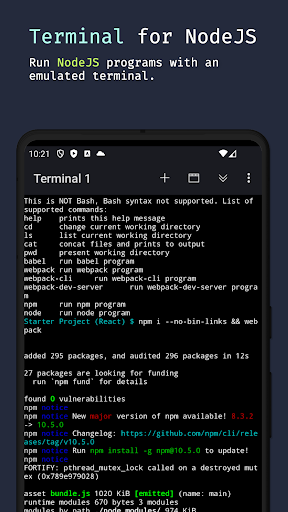
- Create Tasks to run in Node Terminal from JS files
- Run mock terminal and run Node programs from Node terminal
- Run npm, webpack, and more on Android
- Daily free trial of 1 hour
Features include:
- Clone public or private repos (requires app tokens)
- Quick snippets keyboard for faster code edits
- Git client integration (checkout/pull/push/commit/log)
- Diff viewer for git-enabled projects
- Preview HTML/Markdown files on your device
- Project & file searching
- Code syntax analysis and smart auto-completer
- Code completion and context provider
- Auto code-indentation
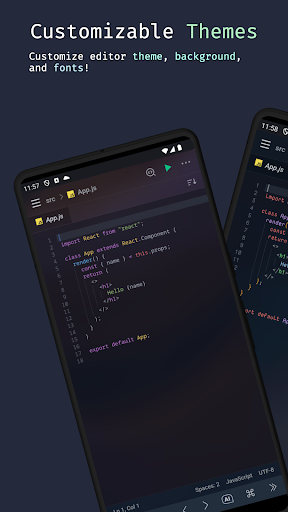
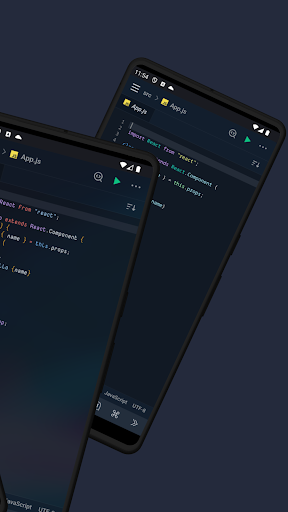
- Light/dark themes available
- Export/import project/files to zip file
- CSS Color selector
- Cool JavaScript labs to play with
- New: AI code completion and code explanations
Main languages supported:
- JavaScript
- CSS
- HTML
- Markdown
Smart code-hinting support:
- TypeScript, JavaScript, TSX, JSX
- CSS, Less, SCSS
- HTML (with Emmet support)
Other popular languages (Syntax highlighting only):
- Python, Ruby, R, Perl, Julia, Scala, Go
- Java, Scala, Kotlin
- Rust, C, C++, C#
- PHP
- Stylus, CoffeeScript, Pug
- Shell, Batch
- OCaml, ActionScript, Coldfusion, HaXe
+ More...
More features to come!