Video Creator


Video Creator Summary
Video Creator is a mobile Android app in Video Players by Sony Corporation. Released in Sep 2023 (2 years ago). It has about 1.4M+ installs and 298 ratings with a 3.85★ (average) average. Based on AppGoblin estimates, it reaches roughly 91.2K monthly active users . Store metadata: updated May 27, 2025.
Recent activity: 11.4K installs this week (42.1K over 4 weeks) showing steady growth View trends →
Store info: Last updated on Google Play on May 27, 2025 .
3.85★
Ratings: 298
Screenshots

App Description
Video Creator lets you quickly and easily create and share short videos.
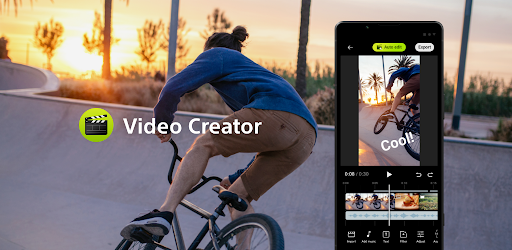
Video Creator is a video editing app that allows you to quickly and easily create short videos that are easy to share with your friends or post on social media. The app features numerous editing features such as "Auto edit", which allows you to automatically create an edited video by simply choosing your clips and music.
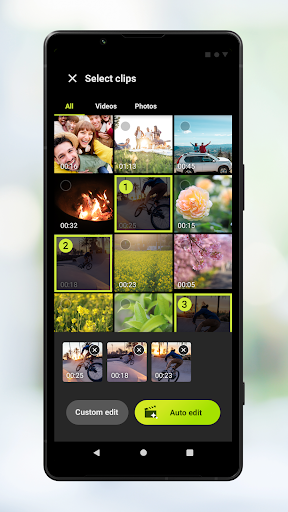
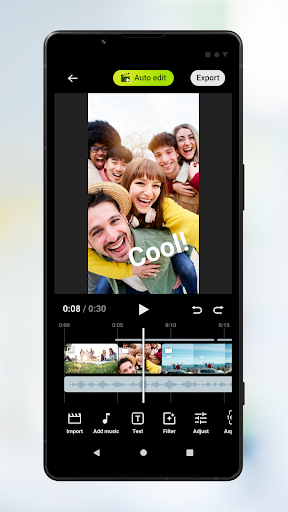
Auto edit: Easily create 30 second videos by selecting your clips (video or photos) and music then tapping Auto edit. The completed video can be shared as-is, or you can further edit the length of clips, adjust video filters, color, brightness and more. If you select a different music track on the Auto edit screen, you can create a new video with a different mood.
Custom edit: Choose how to cut your clips (video or photos), add your own music tracks, and speed up/slow down clips to create a video entirely to your liking. The clips you select will be placed on the timeline.
Main editing features
- Import: Import photos and videos.
- Music: Choose from music presets. In Custom edit you can insert music files stored on the device.
- Text: Insert text on the video. Font and color can also be adjusted.
- Filter: Choose from filters to apply various textures and colors.
- Adjust: Adjust the exposure, contrast, highlights, shadows, saturation, color temperature, and sharpness.
- Aspect ratio: Set the aspect ratio.
- Export: Change the resolution and frame rate.
- Volume: Change the volume. In the Fade menu you can fade in or fade out inserted music tracks.