DestinyECM


DestinyECM Summary
DestinyECM is a mobile Android app in Business by Cyberdigm. Released in Dec 2014 (11 years ago). It has about 8.4K+ installs Based on AppGoblin estimates, it reaches roughly 858 monthly active users . Store metadata: updated Dec 11, 2014.
Recent activity: 16 installs this week (59 over 4 weeks) showing below average growth View trends →
Store info: Last updated on Google Play on Dec 11, 2014 .
1.55★
Ratings: 0
Screenshots



App Description
Experience a safe and free work environment on ECM Mobile. Centralized work documents can be easily utilized on mobile.
Experience a safe and efficient work environment even on mobile.
You can easily utilize centralized business documents anytime, anywhere.
DestinyECM, a real-time connected business system
· Utilize documents stored in the in-house system in real time
· Register/edit/delete folders and immediately register image documents
· Shooting and library support
Easy use of documents
· View documents with one click
· Quick document access with favorite folders
· Find the files you need at once through detailed search
Secure collaboration environment
· Request to quickly view required documents
· Safely and easily request external shipment
· Quickly verify and securely approve requested documents
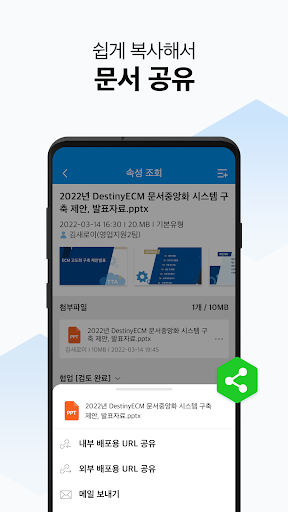
· Share documents safely via URL to partners or team members
Custom mobile settings
· Receive notifications only at the time and day you want
· Adjust text to a size that is pleasing to the eye.
· Dark mode support
· Easy password change
Easy and fast usability
· Intuitive UI/UX application
· Check real-time file transfer status
· Fast and optimized screen processing performance
· Perfect compatibility by mobile, template, and operating system
※ Information on optional access rights
· Storage space: Used to store and transmit photos, videos, and files
· Camera: Used when taking photos and videos
※ DestinyECM terms of use
· DestinyECM is a program exclusively for companies that have purchased a DestinyECM:V server.
· An in-server license may be required to connect to the server.
· The server must be open to the outside world and an appropriate http URL address is required.
· You can use it by entering the URL on the app login screen.