Easy Calendar


Easy Calendar Summary
Easy Calendar is a ad-supported, with in-app purchases Android app in Productivity by East-Hino. Released in Jun 2023 (2 years ago). It has about 8.7K+ installs and 21 ratings . Based on AppGoblin estimates, it reaches roughly 280 monthly active users and generates around $<10K monthly revenue (37% IAP / 63% ads). Store metadata: updated Feb 25, 2026.
Store info: Last updated on Google Play on Feb 25, 2026 .
0★
Ratings: 21
Screenshots



App Description
Simple and lightweight calendar app for smooth and intuitive schedule management
A simple and lightweight calendar app to keep your days organized effortlessly.
This app offers a clean and easy-to-use calendar experience by removing unnecessary features.
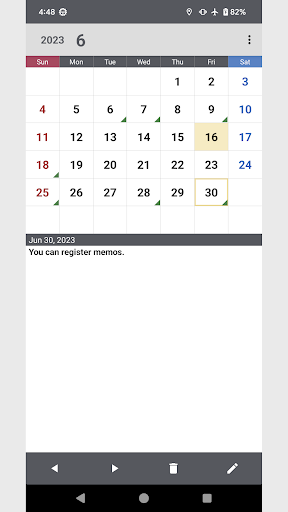
You can quickly check and add notes to your schedule with intuitive controls.
When you add a memo, a mark appears on the calendar, allowing you to visually grasp your plans at a glance.
Perfect for those who want a straightforward calendar without complicated features.
◆ Key Features
・Supports Monday or Sunday start of the week
・Choose from 3 types of memo marks: triangle, circle, or cross
・Select mark colors from green, red, blue, purple, or black
・Displays Japanese Rokuyō (six-day calendar), 24 Solar Terms, and national holidays
・Backup and restore your data securely via Google Drive
◆ Who is this app for?
・Users who want a simple, no-fuss calendar
・Those who prefer visual cues to manage their schedules
・People looking for a lightweight and easy-to-use app
・Anyone interested in traditional Japanese calendar elements like Rokuyō and Solar Terms
◆ Permissions
This app requires account access permission only for backing up data to Google Drive.
No personal information is transmitted outside the app.
◆ Disclaimer
The developer is not responsible for any damage or issues caused by the use of this app.
Please use it at your own discretion.
This app is designed to help manage and review schedules for daily life and work.