Image/Video Alarm


Image/Video Alarm Summary
Image/Video Alarm is a ad-supported, with in-app purchases Android app in the Lifestyle category, developed by West-Hino. First released 2 years ago(Mar 2023), the app has accumulated 115.4K+ total installs and 470 ratings with a 4.00★ (good) average rating.
Recent activity: 189 installs this week (1.8K over 4 weeks) showing declining growth View trends →
Data tracking: SDKs and third-party integrations were last analyzed on Sep 4, 2025. The app's network data flows (API traffic to/from the app and its SDKs) were last crawled on Sep 1, 2025.
Store info: Last updated on Google Play on Feb 5, 2026 (version 160).
Image/Video Alarm was last scanned for SDKs 2025-09-04. Below is the overview of third party companies detected in the app. The full list of raw SDKs, app permissions and unknown SDKs is available here.
 Firebase
 Google
 Bumptech
 AdMob
AdMob4★
Ratings: 470
Screenshots


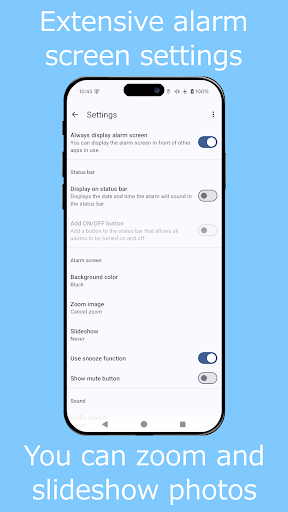
App Description
This is an alarm clock that uses images and videos on your device.
This is a simple alarm clock that displays images and videos on the alarm screen.
You can select files from any storage location and display them on the screen.
It is also possible to display randomly without selecting.
You can specify the sound source file in the storage for the alarm sound.
It is also possible to specify a folder for random playback.
When a video is displayed, the audio of the video becomes the alarm sound.
■Alarm function
・Skip next time
Check this box if you want to skip only the next one in a repeat setting alarm.
・Auto snooze
Automatically transition to snooze when auto stop.
・Alarm that repeats every few days
Please specify "days interval" for date-specified alarms.
You can create alarms that repeat every 2 to 10 days.
■Media
・Select Image
Displays the specified image.
・Image Folder (Random)
Displays random images from the specified folder.
・Image Folder (Latest)
Displays the most recent image from the specified folder.
・Select Video
Plays the specified video.
・Video Folder (Random)
Plays random videos from the specified folder.
・Video Folder (Latest)
Plays the most recent video from the specified folder.
■Sound
・Alarm sound
Plays pre-installed alarm sounds on your device.
・Audio file
Play the sound source file in the storage.
・Specify folder
Randomly play songs in the specified folder.
■About permissions
This app uses the following permissions to provide various services. Personal information will not be sent outside the app or provided to third parties.
・Post Notifications
Notifications are used for notifications while the alarm is ringing.
・Access to music and voice
It is necessary when playing the sound source in the storage.
■Notes
Please note that we are not responsible for any troubles or damages caused by this app.
This app is designed to help manage time for daily life and work through alarm functions.