Side bar screen Swiftly Switch


Side bar screen Swiftly Switch Summary
Side bar screen Swiftly Switch is a ad-supported, with in-app purchases Android app in the Productivity category, developed by Assistive Tool - Studio. First released 9 years ago(Jan 2016), the app has accumulated 1.5M+ total installs and 8.1K ratings with a 3.96★ (average) average rating.
Recent activity: 1.3K installs this week (8.4K over 4 weeks) showing steady growth , and 1 new ratings this week (17 over 4 weeks) with stable momentum. View trends →
Store info: Last updated on Google Play on Oct 4, 2025 .
3.96★
Ratings: 8.1K
Screenshots


App Description
Make smartphone one-handed again
Swiftly Switch Launcher - Sidebar
- You can switch back and forth between recent apps or favorite apps, access tasks quickly, take action to navigate, call, message .. easily and quickly from any application with just A Swipe. This touch assistant application you are like using 3 apps in 1, with the ability to display the same 3 bars when upgrading
- A quick-switching swipe app with circles, grids and folders
- An app linked with finger gestures can turn into the Home screens Navigation Bar
- A screen edge app with Panel view, you can access and convert edges quickly: Circle Favorites edge, Quick Actions edge, Grid Favorites edge, Music player edge, Calculator edge, Calendar edge
Offers new ways to handle your phone:
• Recent apps switcher: Arrange your recent apps in a floating circle sidebar. Switch between them by one swipe from the trigger zone on edge screen.
• Quick Actions: Swipe in deeper with a right direction from the edge panel to pull down notification, switch to the last app, back or open Grid Favorites section.
• Grid Favorites: a side panel where you can place your favorite apps, folders, shortcuts, quick settings to access from any screen.
• Circle Favorites: like the Recent Apps section but for your favorite shortcuts
Why Swiftly Switch make your Android experience better?
• One-handed usability: don't need to stretch out your finger to reach the back, recent button, toggle quick settings, or pull down notification.
• Fast multitasking: switch to recent apps or last app with just one swipe. There is no faster way to do it.
• No cluster home screen: because now you can access your favorite apps and shortcuts from anywhere.
• Focus on user experience: ads free, the app is fast, easy to use, beautiful and extremely customizable.
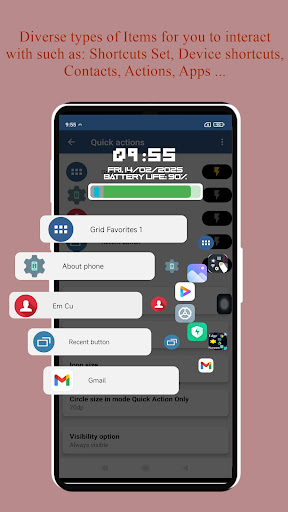
Currently supported shortcuts: apps, folders, contacts, toggle wifi, on/off Bluetooth, take screenshot, toggle autorotation, flashlight, screen brightness, volume, ringer mode, power menu, home, back, recent, pull down notification, last app, dial, call logs and device's shortcuts.
Swiftly Switch is the most customizable edge apps:
• Shortcuts can be arranged in a circle, sidebar, float side panel
• You can change the position, sensitivity of the edge
• You can customize