Tafsiran Matthew Henry


Tafsiran Matthew Henry Summary
Tafsiran Matthew Henry is a Android app in the Books And Reference category, developed by SABDA / YLSA. First released 9 years ago(Jul 2016), the app has accumulated 74.9K+ total installs
Recent activity: 20 installs this week (151 over 4 weeks) showing declining growth View trends →
Store info: Last updated on Google Play on Jun 4, 2024 .
0★
Ratings:
Screenshots

App Description
Bible commentaries grade by Matthew Henry in Indonesian.
Commentaries Matthew Henry is one of the best Bible commentaries that have been translated into many languages in the world. For more than 300 years, proved to be an interpretation of Matthew Henry Bible study materials which are helpful readers to deepen their understanding and knowledge of the word of God. Matthew Henry discusses the passage-by-passage in the biblical word of God and equip it with the practical application of everyday life and the formation of Christian character. Observations and reflections are very sharp, worth devotional, prayerful so that it becomes an inspiration to everyone who reads it.
Thank God! Now you can enjoy this interpretation in Indonesian in Matthew Henry applications.
FEATURES
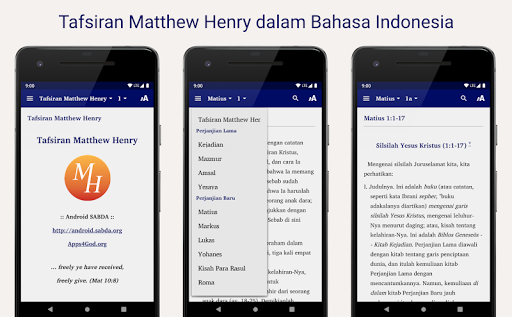
• Read: The interpretation of each chapter of the Old Testament and the New Testament
• Menu / Navigation: Drop down menu for quick access to desired interpretation of the book.
• Swipe / Wipe: To open the next page commentary.
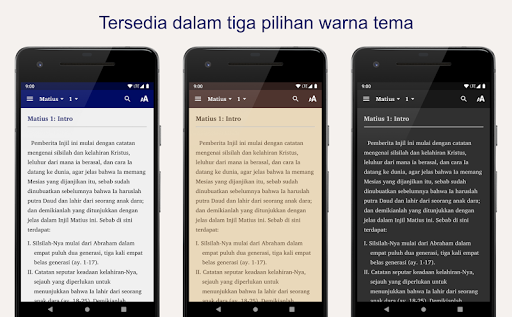
• Nite Mode: Color settings screen (+ font) for more comfortable reading.
• Long Press: text Press and hold (2-3 seconds) to get access to:
o Select / Select: select some or all of the text in the current page.
o Copy / Copy: copy the selected text to the clipboard (to paste elsewhere).
o Share / Share: share posts to social media or application that is installed (or PDF).
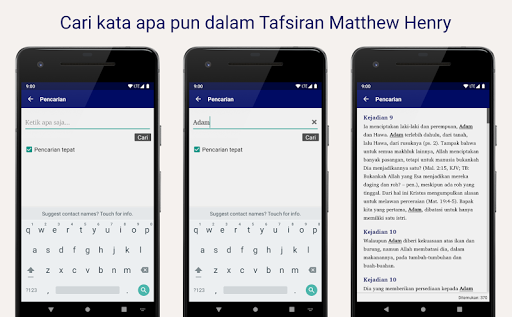
o Search / Find: search for text on the page being read.
o Web Search / Search: search for the selected text using a web search (the Internet).
• Double tap: to display full screen (no menu).
• Pinch / Gesture two fingers: dilated or constricted to change the font size.