WiFi FTP Server: File Transfer


WiFi FTP Server: File Transfer Summary
WiFi FTP Server: File Transfer is a ad-supported Android app in the Tools category, developed by Vytros.com. First released 2 years ago(Dec 2023), the app has accumulated 10.8K+ total installs and 57 ratings with a 3.40★ (mixed) average rating.
Recent activity: 127 installs this week (677 over 4 weeks) showing steady growth , and 57 new ratings this week (57 over 4 weeks) . View trends →
Store info: Last updated on Google Play on Feb 27, 2025 .
3.4★
Ratings: 57
Screenshots


App Description
Transfer files wirelessly among devices across your network with a FTP Server
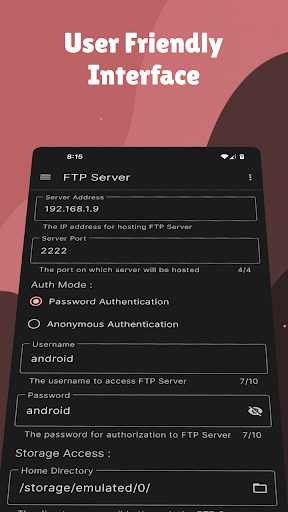
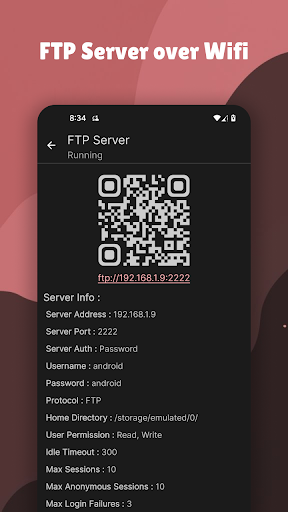
WiFi FTP Server is an app that allows you to host FTP (File Transfer Protocol) Servers over local WiFi network that can be used for file transfers using FTP protocol. The FTP server can be accessed by the devices over the network which have username and password of the server (if set).
Steps to start:
1) Open the application. If you're a new user, you may be asked Storage and Notification permissions, kindly allow them to continue.
2) If not connected to a Wi-Fi, then initiate a connection either before launching the app or while being in the app.
3) Once connected and all permissions granted, click the ▶️ button to start.
4) Once your ftp server has started, all the devices (respecting the peer limit) over WiFi that have the credentials (if set) would be able to access the ftp server.
Operations allowed through the FTP Server:
* Renaming Files / Folders
* Creating Files / Folders
* Uploading Files / Folders
* Downloading Files / Folders
* Deleting Files / Folders
Note: WiFi FTP Server app features local file transfers, in order to access the server, both the Server and the Client should be on the same WiFi network connection and the client should have the necessary credentials for establishing a successful connection. No files are uploaded online or shared with any third party.