Sofa - macOS Remote Control


Sofa - macOS Remote Control Summary
Sofa - macOS Remote Control is a with in-app purchases Android app in Tools by Flavio Tordini. Released in Mar 2020 (5 years ago). It has about 9.3K+ installs and 41 ratings with a 3.57★ (average) average. Based on AppGoblin estimates, it reaches roughly 81 monthly active users and generates around $<10K monthly revenue (100% IAP / 0% ads). Store metadata: updated Dec 30, 2023.
Recent activity: 5.00 installs this week (24 over 4 weeks) showing steady growth View trends →
Store info: Last updated on Google Play on Dec 30, 2023 .
3.57★
Ratings: 41
Screenshots


App Description
Remote Control for your Mac
Control your Mac from your Android phone or tablet with Sofa's simple user interface.
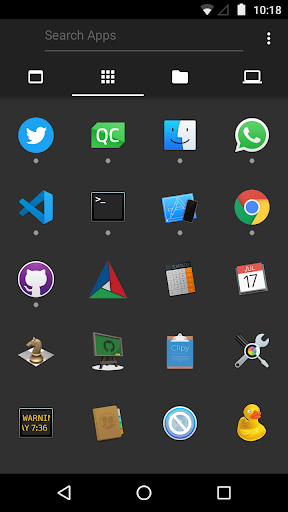
- Launch apps, quit, minimise, go fullscreen
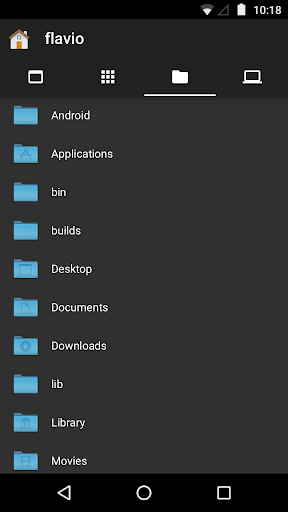
- Open files on your Mac with the default or another associated app
- Navigate through lists, press buttons and enter text from remote
- Access menu commands
- Hand-crafted controls for the most popular apps and websites
- Adjust volume and display brightness
- Lock the screen, put to sleep, restart and shutdown your Mac
All this while in couch-potato mode or doing a presentation.
Sofa supports interaction with the most popular applications and websites:
- Apple apps: Music, TV, Books, Photos, Preview, Photo Booth, Finder, ...
- Chrome, Safari, Firefox, VLC, MPV, IINA, Skype, ...
- YouTube, YouTube Music, Netflix, Amazon Prime Video, Spotify, SoundCloud, Vimeo and more!
Get the free Sofa Server for macOS at http://tordini.org/sofa
*** Connection Troubleshooting
Sofa Server discovery works pretty well but there are some external factors that may interfere with it:
- Are your devices on the same Wi-Fi network?
- Did you start the Sofa Server? There should be a small sofa icon on the menu bar.
- Is the Mac firewall enabled and blocking all connections? Try disabling it temporarily. If that works, reenable and tweak its options.
- Is your router blocking multicast?
- Is your Mac connected via ethernet and your router creates a separate Wi-Fi network?